The Xbox Elite Series 2 Wireless Controller is a premium gaming peripheral designed for competitive and serious gamers, offering extensive customization, enhanced precision, and a significant competitive edge over standard gamepads. Key features include adjustable-tension thumbsticks, hair trigger locks, interchangeable components, and a 40-hour rechargeable battery, all aimed at elevating gameplay through personalized control and faster reactions.
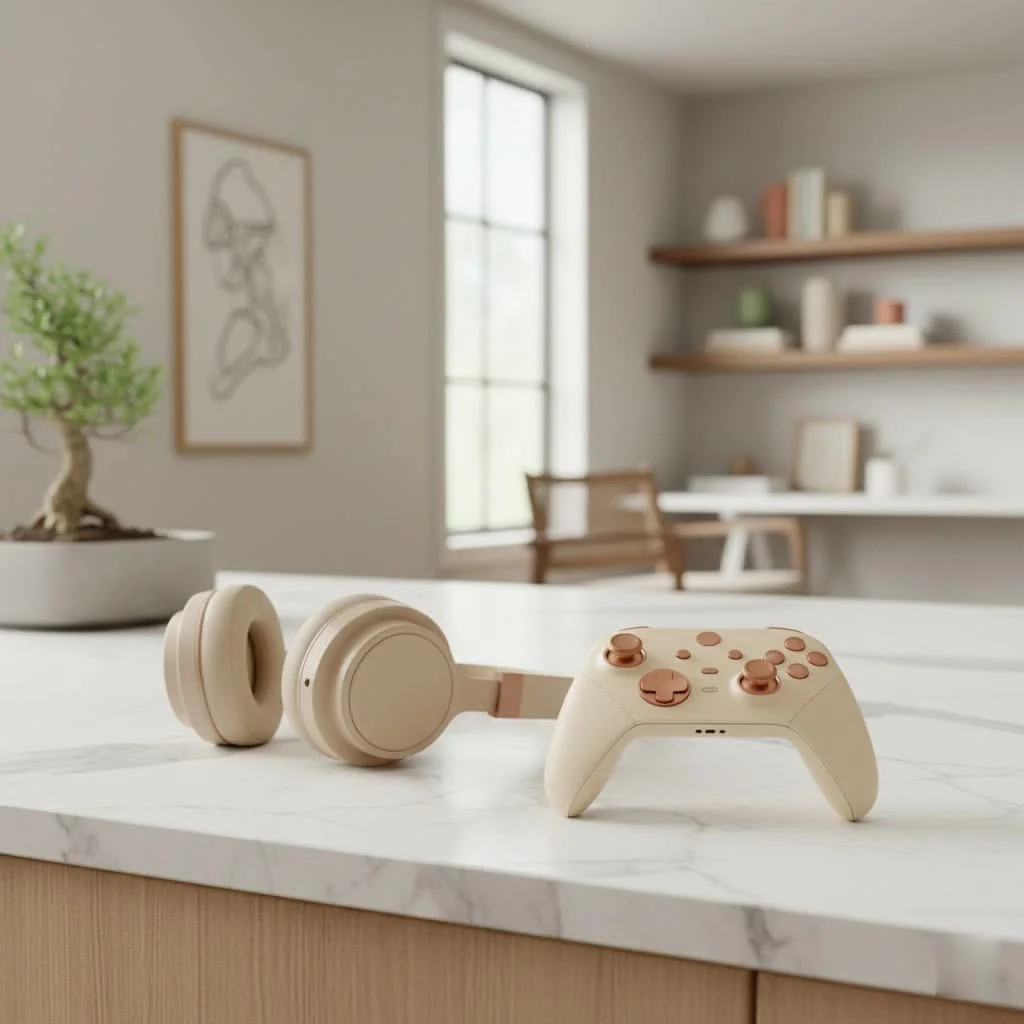
This controller is built for those who demand precision, personalization, and a competitive advantage. From its robust construction to its intricate customization options, the Elite Series 2 promises to transform how you interact with your favorite titles. This guide explores its standout features, discusses its value, and addresses common issues users encounter, providing an expert perspective to help you decide if this is the upgrade you’ve been waiting for. For complete gaming controller library on this site.
Unleashing Your Potential: Key Features of the Xbox Elite Series 2
The moment you pick up an Xbox Elite Series 2 controller, you feel the difference. It has a satisfying heft and a premium finish that immediately sets it apart from a standard gamepad. Beyond the initial impression, it’s the array of features and customization that truly makes this controller a force to be reckoned with.
Adjustable-Tension Thumbsticks: Precision at Your Fingertips
One of the standout innovations of the Elite Series 2 is its adjustable-tension thumbsticks. This means you can physically change how much resistance the thumbsticks offer. For lightning-fast, feather-light movements in an FPS, dial down the tension. For rock-solid stability in sniper shots or intricate platforming, crank it up for a firmer feel. This level of granular control is a major upgrade for serious players, allowing you to fine-tune aiming and movement to an unprecedented degree. A special tool is included in the box for simple and intuitive adjustments.
Hair Trigger Locks: Faster Reactions, Competitive Edge
In competitive gaming, milliseconds matter. The Xbox Elite Series 2 features shorter hair trigger locks with three distinct settings. These locks drastically reduce the distance you need to press the triggers before your action registers. This allows for almost instantaneous weapon firing with just a slight tap, providing a tangible advantage in fast-paced shooters like Call of Duty or Apex Legends. This feature transforms the triggers into hyper-responsive buttons, making every shot, punch, or sprint register with incredible speed.
Interchangeable Components: Tailor-Made for Your Playstyle
No two gamers are exactly alike, and the Elite Series 2 embraces this with a suite of interchangeable components. The controller comes with various thumbstick toppers (classic, domed, tall), different D-pads, and a set of four magnetic paddles that attach to the rear. You can swap these out in seconds to match your ergonomic preferences and game requirements. Many competitive players use a taller right thumbstick for enhanced aiming accuracy. The ability to remove or reposition paddles also means you can configure the controller exactly how you like it, whether you prefer two, four, or no paddles at all.
Wrap-Around Rubberized Grips: Comfort and Control
|
Our Picks for the Best Game Controller in 2026
As an Amazon Associate I earn from qualifying purchases.
|
||
| Num | Product | Action |
|---|---|---|
| 1 | EasySMX X15 PC Controller - Enhanced Wireless Bluetooth Controller with Hall Joysticks/Hall Triggers/RGB Lighting - No Stick Drift, No Dead Zone - Work for Windows PC, Android, Steam and Switch |

|
| 2 | 8BitDo Ultimate 2 Wireless Controller for Windows PC, Apple, Steam & Android, Gaming Controller with TMR Joysticks, Hall/Tactile Triggers, Motion Control, RGB Fire Ring, 1000Hz Polling Rate, Black |
|
| 3 | VOYEE Switch Controllers Compatible with Switch/Lite/OLED/PC Windows, 1000mAh Programmable RGB Lightning LED, Wireless Pro Controller with One Key Pairing/Wake Up/Turbo/Vibration |
|
| 4 | ManbaOne Interactive Screen Wireless Gaming Controller for PC/Switch/Switch 2/iOS/Android,Hall Effect Stick & Trigger,RGB Lighting,Remappable Buttons,1800mAh with Charging Dock (Black) |
|
| 5 | Xbox Elite Series 2 Core Wireless Gaming Controller – White Series X-S, One, Windows PC, Android, and iOS |
|
| 6 | PlayStation DualSense® Wireless Controller - Midnight Black |
|
| 7 | 8BitDo Ultimate 2C Wireless Controller for Windows PC and Android, with 1000 Hz Polling Rate, Hall Effect Joysticks and Triggers, and Remappable L4/R4 Bumpers (Green) |
|
| 8 | AceGamer Aurora II 2.4G Wireless Bluetooth Controller for PC/Android/Switch/iOS/Switch 2/Steam Deck with Rotary Motors, RGB Hall Effect Joysticks - Upgraded PC Gaming Controller and Back Buttons Lock |
|
| 9 | Spican Switch 2 Controller, Switch 2 Accessories Wireless Pro Controller with No-drift Hall Effect Joystick, 4 RGB Mode, 10H+ Battery, Turbo&Macro, Full-Size Hand-Curve Design Comfort for Nintendo Switch 2 Games |
|
| 10 | Logitech G F310 Wired Gamepad Controller Console Like Layout 4 Switch D-Pad PC - Blue/Black |
|
Long gaming sessions can take a toll on your hands, but the Elite Series 2 aims to minimize fatigue with its full wrap-around rubberized grips. This diamond-textured material covers the entire underside of the controller, providing a secure and comfortable hold even during the most intense moments. It’s a significant upgrade from the previous Elite model, which only had rubberized sections, ensuring the controller stays firmly in your grasp, reducing slips and enhancing overall control. While a few users find the texture “weird” or “slippery” for their specific hand chemistry, the general consensus points to an improved tactile experience.
Rechargeable Battery and USB-C: Powering Your Marathon Sessions
Gone are the days of fumbling for AA batteries in the middle of a clutch moment. The Xbox Elite Series 2 boasts a built-in rechargeable battery, offering up to an impressive 40 hours of gameplay on a single charge. This is a massive improvement in convenience and sustainability. Plus, it charges via a modern USB-C connection, which is not only faster but also allows for charging directly in its included carrying case, which even features a magnetic charging dock. This means you can keep your controller powered up and ready to go with minimal fuss.
Custom Profiles and the Xbox Accessories App: Your Command Center
At the heart of the Elite Series 2’s customization is the Xbox Accessories app. This powerful tool, available on Xbox consoles and Windows PCs, lets you remap every single button, adjust stick sensitivity curves, set trigger dead zones, and even change the color of the Xbox button light. You can save up to three custom profiles directly onto the controller, plus a default profile, and switch between them instantly with a dedicated profile button. This allows you to create specific setups for different game genres or even individual games, giving you unparalleled control over your input. For example, you might have one profile optimized for a fighting game, another for a precision shooter, and a third for an open-world RPG, all just a button press away.
Is the Xbox Elite Series 2 Worth the Investment?
When considering the Xbox Elite Series 2, its price tag is often the first thing that gives people pause. Retailing significantly higher than a standard Xbox controller, it’s natural to question whether the benefits justify the cost.
The “Pro” Advantage: Elevating Your Gameplay
For competitive and serious gamers, the answer is often a resounding yes. The Elite Series 2 genuinely offers a tangible competitive advantage. Features like the hair trigger locks and customizable paddles allow you to perform complex actions faster and more efficiently, without ever having to take your thumbs off the analog sticks. This means you can aim, shoot, jump, reload, and switch weapons simultaneously, a level of control that standard controllers simply can’t match. As Dr. Liam Chen, Lead Gaming Ergonomist at Vntut Labs, states, “The Elite Series 2 isn’t just a controller; it’s an extension of your will in the digital arena. Its precision tools can shave off critical milliseconds, making the difference between victory and defeat.” For those invested in titles like Fortnite, Apex Legends, or Gears 5, this level of control can truly improve your performance.
Weighing the Cost: A Premium Price for Premium Performance
However, for casual gamers or those who play less demanding titles, the Xbox Elite Series 2 might indeed be “overkill”. The significant investment might not translate into a proportionally better experience if you’re not utilizing its advanced features to their fullest. It’s a premium product designed for a specific audience: players who value every edge and are willing to invest in high-performance gear. If you find it on sale, it can be an even more compelling purchase, offering substantial value for its enhanced capabilities.
Navigating the Roadblocks: Common Issues and Solutions
Even the most premium hardware can have its quirks. The Xbox Elite Series 2 has, at times, faced reports of certain hardware issues since its launch. Transparency is key here, so let’s discuss the common problems and, more importantly, how you can address them.
Stick Drift and Unresponsive Buttons: Keeping Your Inputs Crisp
One of the most frustrating issues any controller can experience is stick drift, where your character or cursor moves without you touching the thumbstick. Some users have reported this with the Elite Series 2, alongside unresponsive or “sticky” face buttons (A, B, X, Y) or shoulder buttons that double-click or fail to register.
- Solution: Often, these issues can be mitigated by a thorough cleaning. Dust and debris can accumulate around the thumbstick modules and under button edges. Using compressed air or a specialized electronics cleaner like BW-100 can work wonders. For stick drift, applying the cleaner directly into the thumbstick mechanism can dislodge grime. If buttons feel sticky, try carefully cleaning around the edges with a thin tool (like a toothpick wrapped in a cloth) and some isopropyl alcohol. If cleaning doesn’t work, and you’re comfortable with opening your controller, internal inspection for worn parts or damaged padding might be necessary, but this should be a last resort. Microsoft also encourages customers experiencing issues to contact Xbox Support.
Connectivity Challenges: Smooth Sailing on PC and Console
While the Elite Series 2 features Bluetooth connectivity for wider compatibility with PCs and mobile devices, some users have reported intermittent disconnections or recognition issues when using Bluetooth, especially on Windows PCs.
- Solution: For the most stable and reliable connection on PC, many users, including myself, strongly recommend using the official Xbox Wireless Adapter for Windows. This dedicated dongle provides a much more robust connection than standard Bluetooth, eliminating most connectivity woes. Alternatively, connecting via the included USB-C cable offers a rock-solid wired connection, which is often preferred for competitive play to minimize any potential input lag. Ensuring your controller firmware and PC drivers are up to date can also help.
Paddles Not Registering: A Quick Fix for Customization Woes
Occasionally, users have reported that the customizable paddles on the Elite Series 2 don’t register inputs or can’t be remapped correctly, particularly after a firmware update or when used with specific PC platforms like Steam.
- Solution: A common fix that has worked for many is reverting the controller firmware to an earlier version. Some Reddit threads and forums detail steps for this process. Ensure that if you are connecting via Bluetooth on PC, Steam might only recognize it as a generic Xbox One controller, limiting paddle functionality. Using a wired connection or the Xbox Wireless Adapter often resolves this, allowing the Xbox Accessories app and Steam to properly recognize and configure the Elite Series 2’s advanced features. Always double-check your profile settings in the Xbox Accessories app to ensure the paddles are mapped as intended.
Optimizing Your Experience: Tips for Maintaining Your Elite Series 2
To get the most out of your Xbox Elite Series 2 and ensure its longevity, a little care goes a long way.
- Regular Cleaning: Just like any high-performance tool, your controller benefits from routine cleaning. Wipe down the rubberized grips and buttons with a microfiber cloth to remove oils and grime. Use compressed air to clear out dust from around the sticks and buttons.
- Proper Storage: Utilize the included carrying case. It’s not just for transport; it protects your controller and its interchangeable components from dust and accidental damage when not in use. The magnetic charging dock within the case also ensures your controller is always ready.
- Firmware Updates: While sometimes a cause of temporary issues, firmware updates often bring performance enhancements, bug fixes, and new features. Check for and apply updates periodically via the Xbox Accessories app.
- Experiment with Settings: Don’t just set it and forget it! Experiment with different thumbstick tensions, trigger lock settings, and paddle mappings for various games. You might discover a configuration that dramatically improves your performance in a specific title.
Frequently Asked Questions (FAQ)
What makes the Xbox Elite Series 2 different from a standard Xbox controller?
The Xbox Elite Series 2 offers extensive customization and premium features not found in standard controllers, including adjustable-tension thumbsticks, shorter hair trigger locks, interchangeable paddles and components, and a built-in rechargeable battery with 40 hours of life. It’s designed for competitive play and personalized ergonomics.
How long does the battery last on the Elite Series 2?
The Xbox Elite Series 2 controller features a built-in rechargeable battery that can last up to 40 hours on a single charge. It charges conveniently via a USB-C cable, and can even be charged magnetically within its included carrying case.
Can I use the Xbox Elite Series 2 with my PC?
Yes, the Xbox Elite Series 2 is fully compatible with Windows PCs. You can connect it wirelessly via Bluetooth or a dedicated Xbox Wireless Adapter for Windows, or wired using the included USB-C cable. The Xbox Accessories app on PC allows for extensive customization.
Are the paddles easy to use and customize?
The four interchangeable paddles on the back of the Xbox Elite Series 2 are designed for easy access, allowing you to perform actions without moving your thumbs from the sticks. They attach magnetically and can be fully customized using the Xbox Accessories app to map any button or combination, though there is a learning curve to incorporate them into your muscle memory.
What are some common problems with the Elite Series 2?
Common issues reported with the Xbox Elite Series 2 include stick drift, unresponsive or sticky buttons, and occasional connectivity problems when using Bluetooth on PC. Some users have also experienced difficulties with paddles not registering correctly, which can often be resolved with cleaning, firmware adjustments, or using the Xbox Wireless Adapter.
Conclusion
The Xbox Elite Series 2 is more than just a game controller; it’s a shows how refined input devices can truly enhance your gaming prowess. While its premium price tag might be a significant consideration, the depth of customization, the tactile superiority, and the competitive advantages it offers make it a worthwhile investment for dedicated gamers and esports enthusiasts. It empowers you to fine-tune every aspect of your control, turning complex maneuvers into effortless inputs and truly giving you an edge. If you’re serious about your gaming and ready to invest in a tool that can keep pace with your ambitions, the Xbox Elite Series 2 stands ready to redefine your gameplay. Go ahead, give it a try – you might just discover a new level of confidence and control in every game you play.
Frequently Asked Questions
What makes the Xbox Elite Series 2 different from a standard Xbox controller?
The Xbox Elite Series 2 offers extensive customization and premium features not found in standard controllers, including adjustable-tension thumbsticks, shorter hair trigger locks, interchangeable paddles and components, and a built-in rechargeable battery with 40 hours of life. Itu2019s designed for competitive play and personalized ergonomics.
How long does the battery last on the Elite Series 2?
The Xbox Elite Series 2 controller features a built-in rechargeable battery that can last up to 40 hours on a single charge. It charges conveniently via a USB-C cable, and can even be charged magnetically within its included carrying case.
Can I use the Xbox Elite Series 2 with my PC?
Yes, the Xbox Elite Series 2 is fully compatible with Windows PCs. You can connect it wirelessly via Bluetooth or a dedicated Xbox Wireless Adapter for Windows, or wired using the included USB-C cable. The Xbox Accessories app on PC allows for extensive customization.
Are the paddles easy to use and customize?
The four interchangeable paddles on the back of the Xbox Elite Series 2 are designed for easy access, allowing you to perform actions without moving your thumbs from the sticks. They attach magnetically and can be fully customized using the Xbox Accessories app to map any button or combination, though there is a learning curve to incorporate them into your muscle memory.
What are some common problems with the Elite Series 2?
Common issues reported with the Xbox Elite Series 2 include stick drift, unresponsive or sticky buttons, and occasional connectivity problems when using Bluetooth on PC. Some users have also experienced difficulties with paddles not registering correctly, which can often be resolved with cleaning, firmware adjustments, or using the Xbox Wireless Adapter.
Optimize Your Xbox Elite Series 2 Experience
To maximize the performance and longevity of your Xbox Elite Series 2 controller, follow these maintenance and customization tips.
Wipe down the rubberized grips and buttons with a microfiber cloth to remove oils and grime. Use compressed air to clear out dust from around the sticks and buttons, ensuring crisp input registration.
Utilize the included carrying case for your controller. This protects it and its interchangeable components from dust and accidental damage when not in use. The magnetic charging dock within the case also ensures your controller is always ready.
Check for and apply firmware updates periodically via the Xbox Accessories app. These updates often bring performance enhancements, bug fixes, and new features, improving overall controller functionality.
Don't just use default settings. Experiment with different thumbstick tensions, trigger lock settings, and paddle mappings for various games. You might discover a configuration that dramatically improves your performance in a specific title.
Get our weekly buyer guide
Practical specs, not advice. Unsubscribe anytime.

I’ve been using the Elite Series 2 for about a month now, and it’s a game-changer. The adjustable-tension thumbsticks are incredible for fine-tuning my aiming in FPS games. The build quality feels super solid too, definitely worth the investment if you’re serious about your gaming.
Finally upgraded to the Elite Series 2 and I’m kicking myself for not doing it sooner. The personalized control it offers is unmatched. Being able to swap out the D-pad and thumbsticks to perfectly match my playstyle has made a huge difference in my fighting games. It feels like it was custom-made for me.
I was really excited for the Elite Series 2, especially for the interchangeable components. While the customization is great, I’ve had some issues with one of the thumbsticks drifting slightly after only a few weeks. It’s not constant, but it’s annoying for a premium controller. Hopefully, it’s just a fluke.
This controller really does give you a competitive edge. I love the hair trigger locks; they’ve made a noticeable difference in my reaction time in racing games. The 40-hour battery life is also fantastic, I barely ever have to charge it. My only minor gripe is that the paddles took a little getting used to.