Hey there, fellow PC gamers! Let’s be real: while the trusty keyboard and mouse are unbeatable for certain genres, there are countless games where nothing beats the tactile satisfaction and immersive control of a good gamepad. From epic RPGs and fast-paced fighting games to exhilarating racing sims and chill platformers, a dedicated PC controller can elevate your gaming experience from good to absolutely glorious. But with so many options out there, how do you pick the best controller for PC that truly suits your style? That’s exactly what we’re here to unravel.
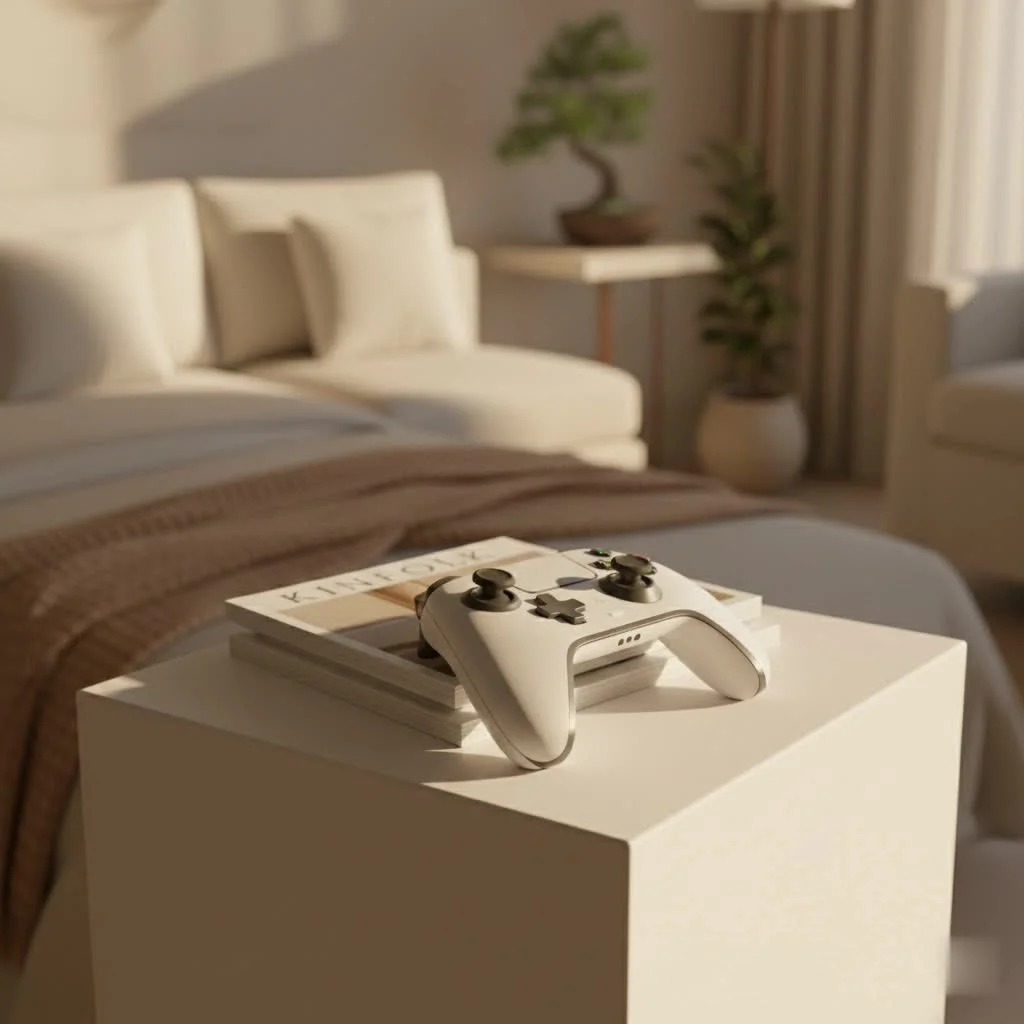
Consider me your seasoned guide, someone who’s spent over a decade navigating the intricate world of game controllers. We’ll dive deep into what makes a controller tick, what features genuinely matter, and break down the top contenders dominating the PC gaming scene in 2025. By the end of this, you’ll feel confident making an informed choice, transforming your gaming setup into a powerhouse of precision and comfort.
Why a Dedicated PC Controller Matters More Than You Think
You might be thinking, “My keyboard and mouse work just fine!” And for many games, you’d be right. But for a vast library of titles, a controller isn’t just an alternative; it’s the intended way to play, offering a level of control and immersion that a keyboard simply can’t match.
Imagine gliding through a lush open world in an adventure game, the analog sticks giving you fluid, nuanced movement that’s impossible with eight-directional keyboard inputs. Or picture yourself powersliding around a corner in a racing game, the precise pressure sensitivity of analog triggers translating every subtle input into masterful car control. These are experiences tailor-made for a gamepad. Controllers also often provide superior ergonomics for extended play sessions, allowing you to recline and relax, which can be a welcome change from sitting hunched over a desk. It’s about optimizing your experience for every game in your library, making sure you always have the best controller for PC for the job.
Key Features to Look For in Your Next PC Controller
When you’re on the hunt for the ultimate PC gamepad, it’s easy to get overwhelmed by jargon and countless specifications. Let’s simplify things and break down the crucial features that truly impact your gaming.
Joystick Technology: Say Goodbye to Drift!
One of the most frustrating issues a gamer can face is “stick drift,” where your character or camera moves without you touching the joystick. This usually happens with traditional potentiometer-based joysticks as they wear out.
What’s the solution? Look for controllers featuring Hall Effect joysticks. These innovative sticks use magnets and electrical current instead of physical contacts, meaning they never wear out in the same way, virtually eliminating stick drift and offering superior longevity and precision. Some controllers also feature TMR (Tunneling Magnetoresistance) sticks, which function similarly and provide excellent accuracy and durability.
Connectivity Options: Wired, Wireless, or Both?
|
Our Picks for the Best Game Controller in 2026
As an Amazon Associate I earn from qualifying purchases.
|
||
| Num | Product | Action |
|---|---|---|
| 1 | Spican Switch 2 Controller, Switch 2 Accessories Wireless Pro Controller with No-drift Hall Effect Joystick, 4 RGB Mode, 10H+ Battery, Turbo&Macro, Full-Size Hand-Curve Design Comfort for Nintendo Switch 2 Games |

|
| 2 | Logitech G F310 Wired Gamepad Controller Console Like Layout 4 Switch D-Pad PC - Blue/Black |
|
| 3 | PlayStation DualSense® Wireless Controller - Midnight Black |
|
| 4 | VOYEE Switch Controllers Compatible with Switch/Lite/OLED/PC Windows, 1000mAh Programmable RGB Lightning LED, Wireless Pro Controller with One Key Pairing/Wake Up/Turbo/Vibration |
|
| 5 | Xbox Elite Series 2 Core Wireless Gaming Controller – White Series X-S, One, Windows PC, Android, and iOS |
|
| 6 | 8BitDo Ultimate 2C Wireless Controller for Windows PC and Android, with 1000 Hz Polling Rate, Hall Effect Joysticks and Triggers, and Remappable L4/R4 Bumpers (Green) |
|
| 7 | 8BitDo Ultimate 2 Wireless Controller for Windows PC, Apple, Steam & Android, Gaming Controller with TMR Joysticks, Hall/Tactile Triggers, Motion Control, RGB Fire Ring, 1000Hz Polling Rate, Black |
|
| 8 | ManbaOne Interactive Screen Wireless Gaming Controller for PC/Switch/Switch 2/iOS/Android,Hall Effect Stick & Trigger,RGB Lighting,Remappable Buttons,1800mAh with Charging Dock (Black) |
|
| 9 | EasySMX X15 PC Controller - Enhanced Wireless Bluetooth Controller with Hall Joysticks/Hall Triggers/RGB Lighting - No Stick Drift, No Dead Zone - Work for Windows PC, Android, Steam and Switch |
|
| 10 | AceGamer Aurora II 2.4G Wireless Bluetooth Controller for PC/Android/Switch/iOS/Switch 2/Steam Deck with Rotary Motors, RGB Hall Effect Joysticks - Upgraded PC Gaming Controller and Back Buttons Lock |
|
How you connect your controller can significantly impact your experience.
What are your choices?
- Wired (USB-C is common): Offers the lowest latency and never runs out of battery. Great for competitive play where every millisecond counts. Many modern controllers include a high-quality, detachable USB-C cable for wired play.
- 2.4GHz Wireless (with a dedicated dongle): A fantastic middle ground, providing very low latency wireless performance, often indistinguishable from wired, but without the cable clutter.
- Bluetooth Wireless: Most convenient for general use and connecting to multiple devices. While generally good, Bluetooth can sometimes have slightly higher latency or be less stable than 2.4GHz wireless, depending on your environment and adapter.
The best controller for PC often offers multiple connectivity options, giving you the flexibility to choose what works best for your current gaming session.
Ergonomics and Build Quality: Comfort is King
You’ll be spending hours with your controller, so comfort is paramount.
What should you consider?
- Shape and Weight: Does it fit naturally in your hands? Is it too heavy or too light? Many players find the asymmetrical stick layout of Xbox-style controllers incredibly comfortable, while others prefer the symmetrical design of PlayStation controllers.
- Grip: Textured grips can prevent slipping during intense moments.
- Material Quality: Durable plastics, robust buttons, and a solid feel in hand indicate a controller that will withstand the test of time and countless gaming sessions. High-end controllers might even feature metal components or premium coatings.
Customization and Extra Buttons: Tailor Your Play
Beyond the standard buttons, many modern controllers offer features to personalize your experience.
What customization options are available?
- Rear Paddles/Buttons: These are extra buttons on the back of the controller, typically remappable, allowing you to perform actions without taking your thumb off the analog sticks or face buttons. A game-changer for many genres!
- Trigger Stops/Locks: For shooters, these can reduce the travel distance of your triggers, allowing for faster firing. Toggleable options are ideal, letting you switch back to full travel for racing games.
- Swappable Components: Some premium controllers allow you to swap out joysticks (different heights, domed/concave tops), D-pads, or even entire modules, adapting the controller to specific games or preferences.
- Software Customization: Companion software often allows for button remapping, deadzone adjustments, macro creation, and profile saving.
Haptic Feedback and Adaptive Triggers: Immersion Redefined
These advanced features, notably popularized by Sony’s DualSense controller, can significantly enhance immersion.
How do they work?
- Advanced Haptic Feedback: Instead of simple rumble, haptics can simulate varied sensations, like the grit of gravel under your car or the tension of a bowstring.
- Adaptive Triggers: These triggers can provide dynamic resistance, mimicking the feel of a weapon jamming or the pull of a car’s accelerator, offering a whole new level of tactile feedback in supported games. While they might require a wired connection for full functionality on PC, the experience is truly unique.
Battery Life and Charging
For wireless controllers, battery performance is key.
What to look for?
- Battery Life: Check the advertised hours of play on a single charge. Longer is generally better, but convenient charging methods can also mitigate lower battery life.
- Charging Method: USB-C is the modern standard for fast and convenient charging. Some controllers come with charging docks, offering a sleek and easy way to keep your gamepad topped up. Controllers that still rely on AA batteries might require an additional rechargeable battery pack purchase.
Polling Rate
Often overlooked, the polling rate impacts how quickly your controller’s inputs are registered by your PC.
Why does it matter? A higher polling rate (e.g., 1000Hz, 2000Hz, or even 8000Hz) means the controller sends data to your PC more frequently, resulting in incredibly responsive and precise input. This is especially beneficial for competitive gaming where every millisecond counts.
Top Picks for the Best PC Controllers in 2025
Alright, with that foundational knowledge, let’s talk about the specific controllers that are earning high praise from gamers and experts alike. Remember, the “best” often comes down to your personal preferences and budget!
Overall Best Value: GameSir G7 Pro Tri-Mode
For many gamers, the GameSir G7 Pro Tri-Mode has dethroned some long-standing champions as the go-to PC controller. It strikes an almost perfect balance between features, build quality, and price. This controller is a feature-packed beast, offering Hall Effect thumbsticks to banish stick drift worries, multiple connectivity options (wired, 2.4GHz wireless, Bluetooth), and a comfortable, familiar ergonomic design that often gets compared to the excellent Xbox controller. Its clicky face buttons and responsive triggers feel premium, making it an exceptional value for money.
The Reliable Standard: Xbox Wireless Controller
You can never go wrong with a classic. The Xbox Wireless Controller remains a top choice for PC gamers for a reason. It boasts unmatched compatibility with Windows and Steam, ensuring a plug-and-play experience for nearly every controller-supported game. Its ergonomic design is universally lauded for comfort, and the build quality is consistently solid. While it traditionally uses AA batteries, you can invest in a rechargeable play-and-charge kit. For seamless, reliable gaming right out of the box, the Xbox Wireless Controller is a steadfast choice.
For PlayStation Fans & Immersion Seekers: Sony DualSense Controller
If you’re a PlayStation enthusiast or simply crave deeper immersion, the Sony DualSense Controller is an outstanding option for PC. While full haptic feedback and adaptive trigger support might require a wired USB-C connection and specific game integration, when they work, they are truly transformative. The controller’s symmetrical stick layout is preferred by many, and it recharges conveniently via USB-C. For those playing first-party Sony titles on PC or games specifically optimized for its unique features, the DualSense offers an unparalleled tactile experience.
Premium Powerhouses: Razer Wolverine V3 Pro & Victrix Pro BFG
If your budget allows for a truly high-end experience, controllers like the Razer Wolverine V3 Pro 8K PC and the Victrix Pro BFG stand out.
- The Razer Wolverine V3 Pro 8K PC is a marvel of engineering, boasting incredibly tactile mechanical buttons (often compared to mouse clicks) and Hall Effect joysticks for precision and longevity. It offers a plethora of customization options, including extra remappable buttons and trigger stops, alongside an ultra-high 8K polling rate for wired play, ensuring lightning-fast response times.
- The Victrix Pro BFG is lauded for its extreme modularity. You can swap out modules to change stick layouts (asymmetrical or symmetrical), D-pads, and even face buttons. It features four remappable back paddles and boasts a robust, high-performance design, allowing you to truly tailor the controller to any game or preference. These controllers are investments, but they deliver a professional-grade gaming experience.
Best on a Budget: GameSir Nova Lite
Don’t have a fortune to spend? The GameSir Nova Lite proves that you don’t need to break the bank for a quality PC controller. This budget-friendly gem offers Hall Effect thumbsticks, a crucial feature for preventing stick drift, at a remarkably low price point. It provides solid connectivity via 2.4GHz wireless (with dongle) and Bluetooth, making it versatile for various devices. While it might lack some of the premium features and build solidity of its more expensive counterparts, it delivers excellent core performance for its price, making it the best controller for PC if affordability is your top priority.
Choosing the Right Controller for Your Gaming Style
The “best” controller isn’t a one-size-fits-all answer; it’s about what enhances your specific gaming.
- First-Person Shooters (FPS) & Action Games: Look for controllers with precise analog sticks (Hall Effect is a huge plus), responsive triggers (preferably with trigger stops for quick aiming/firing), and remappable back paddles to keep your thumbs on the sticks. The Razer Wolverine V3 Pro or Victrix Pro BFG excel here.
- Fighting Games: A high-quality D-pad is king for fighting games. Tactile, clicky face buttons and a robust build are also important for executing complex combos. Some specialized fight sticks are available, but general controllers with excellent D-pads like the Xbox Wireless Controller or GameSir G7 Pro can perform well.
- Racing & Simulation Games: Analog triggers with good resistance and comfortable ergonomics are crucial for fine-tuned acceleration and braking. Any of the top picks with quality analog triggers will serve you well.
- Casual & Platformer Games: Comfort for long sessions, reliable connectivity, and responsive basic controls are key. The Xbox Wireless Controller, Sony DualSense, or even the GameSir Nova Lite are all excellent choices, depending on your budget and preference for stick layout.
As Alistair “Ace” Finch, Lead Hardware Analyst at Vntut.com, often says, “The perfect controller isn’t just about specs; it’s about the seamless extension of your will into the game world. Find the one that disappears in your hands, leaving only the pure joy of play.”
Maintenance Tips for Your PC Game Controller
To ensure your best controller for PC serves you faithfully for years, a little TLC goes a long way.
- Keep it Clean: Dust, grime, and snack residue can build up, affecting button responsiveness. Use a soft, dry cloth for regular wiping. For tougher spots, a slightly damp cloth with mild soap or isopropyl alcohol on a cotton swab for crevices can work wonders. Make sure it’s completely dry before use.
- Software Updates: Controller manufacturers frequently release firmware updates to improve performance, fix bugs, and add features. Always check for and install these updates via their dedicated PC applications.
- Battery Care (for wireless controllers):
- Don’t Overcharge: If using a dock or wired charging, disconnect once fully charged to prolong battery health.
- Avoid Deep Discharges: Try not to let the battery completely drain too often.
- Store Properly: If storing for an extended period, charge the battery to around 50-70%.
- Cable Management: If you primarily use a wired controller, ensure the cable isn’t crimped or bent sharply, which can lead to internal damage over time.
- Handle with Care: While controllers are designed to be durable, avoid dropping them or forcefully mashing buttons beyond what’s necessary.
Frequently Asked Questions (FAQ)
Q: Is an Xbox controller truly the best for PC?
A: For native, out-of-the-box compatibility with Windows and most PC games, an Xbox-style controller (like the Xbox Wireless Controller or the GameSir G7 Pro) is often considered the most hassle-free option. Its driver support and widespread adoption by developers make it a very reliable choice. However, “best” is subjective, and other controllers like the DualSense offer unique features that some gamers might prefer for specific titles.
Q: What is stick drift and how do Hall Effect joysticks prevent it?
A: Stick drift is when your controller’s analog sticks register movement even when you’re not touching them, causing unwanted input in games. It’s typically caused by wear and tear on the internal components (potentiometers) of traditional joysticks. Hall Effect joysticks use magnets and a magnetic field sensor instead of physical contacts. Because there are no moving parts to wear down, they are virtually immune to stick drift and offer significantly improved durability and precision over time.
Q: Can I use my PS5 DualSense controller on PC?
A: Yes, absolutely! The Sony DualSense controller can be connected to your PC via a USB-C cable or Bluetooth. While basic functionality works immediately, to fully experience its advanced haptic feedback and adaptive triggers, you might need to play games that specifically support these features on PC, often requiring a wired connection for optimal performance.
Q: Are wired controllers better than wireless for PC gaming?
A: For competitive gaming where every millisecond matters, wired controllers generally offer the lowest possible input latency. However, modern 2.4GHz wireless controllers (using a dedicated dongle) have become incredibly good, with latency so low that most players won’t notice a difference. Bluetooth wireless can have slightly higher latency but offers convenience. Ultimately, the “best” depends on your sensitivity to latency and your preference for cable-free gaming.
Q: How do I choose a controller based on my preferred game genre?
A: Consider the primary inputs needed for your favorite genres. For fighting games, prioritize a precise D-pad and tactile face buttons. For FPS or action games, look for accurate analog sticks, responsive triggers (with potential for trigger stops), and remappable back paddles. Racing games benefit from sensitive analog triggers and comfortable grips. Ultimately, try to find a controller that feels natural for the types of games you play most frequently.
Final Thoughts: Your Game, Your Control
Choosing the best controller for PC is a deeply personal journey, influenced by your gaming habits, budget, and ergonomic preferences. Whether you prioritize cutting-edge technology like Hall Effect joysticks, the immersive rumble of haptic feedback, or simply the reliable familiarity of a classic design, there’s a perfect gamepad out there waiting for you.
We’ve explored the landscape of top contenders for 2025, from the versatile GameSir G7 Pro to the premium Razer Wolverine V3 Pro, alongside the ever-dependable Xbox Wireless Controller and the innovative Sony DualSense. By understanding the key features and aligning them with your personal gaming style, you’re now equipped to make a choice that will enhance every click, every trigger pull, and every moment of your PC gaming adventures. So go forth, gamer, find your perfect match, and let us know which controller became your ultimate weapon in the comments below! Happy gaming!
Get our weekly buyer guide
Practical specs, not advice. Unsubscribe anytime.
