In the ever-evolving world of gaming, the lines between traditional consoles and mobile devices are blurring. Gamers are no longer confined to their living rooms; the ability to play high-fidelity titles on the go has become a must-have. Enter the PlayStation Backbone, a revolutionary mobile gaming controller designed to seamlessly integrate with your smartphone, turning it into a formidable portable gaming console. This isn’t just about playing casual games on your commute; it’s about bringing your entire PlayStation ecosystem, and much more, right into your pocket.
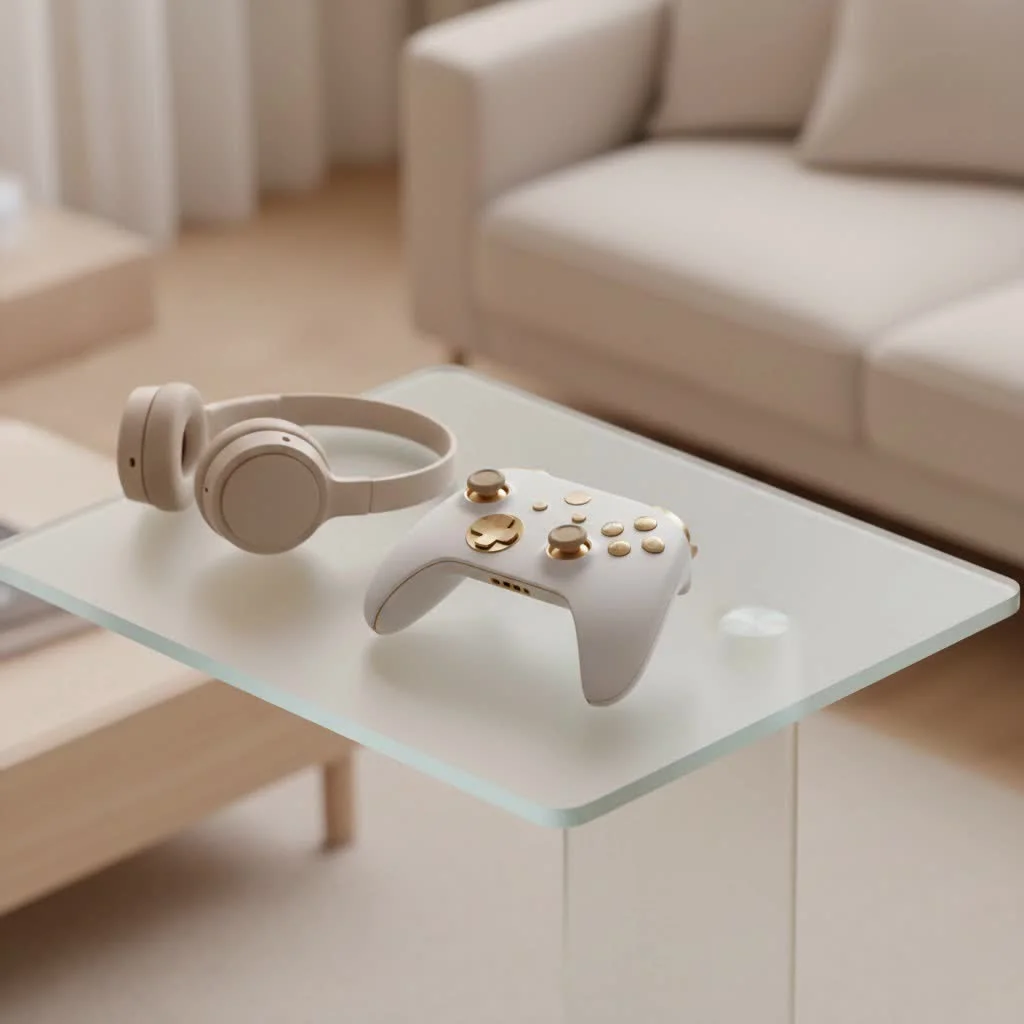
At Vntut.com, we’ve seen countless peripherals come and go, but the PlayStation Backbone stands out as a genuine game-changer, offering an experience that marries convenience with console-level precision. Whether you’re a dedicated PlayStation enthusiast eager to stream your PS5 library from anywhere or a mobile gamer looking for a competitive edge, understanding this device is key to unlocking your phone’s full gaming potential. For see our gaming controller recommendations on this site.
What is the PlayStation Backbone and Why Does It Matter?
At its core, the PlayStation Backbone is a sleek, collapsible controller that physically attaches to your iPhone or Android smartphone. Imagine snapping your phone into a device that instantly mirrors the familiar ergonomics and button layout of a console controller. That’s the PlayStation Backbone experience. It’s designed to provide tactile feedback and responsive controls that touchscreens simply can’t replicate, making it an indispensable tool for serious mobile gamers and those who leverage cloud gaming and remote play services.
Its significance in today’s gaming landscape is immense. With services like PlayStation Remote Play, Xbox Game Pass Ultimate, and NVIDIA GeForce Now gaining traction, the ability to stream demanding titles to your phone is no longer a futuristic dream. The PlayStation Backbone ensures these experiences are not only possible but genuinely enjoyable, bridging the gap between console-quality gaming and ultimate portability. It transforms your daily commute, lunch break, or even a quiet evening away from your TV into a legitimate gaming session.
Unpacking the PlayStation Backbone: Design and Key Features
The PlayStation Backbone has been meticulously crafted, especially its PlayStation Edition, to resonate with Sony fans while providing universal appeal.
Design Philosophy: PS5-Inspired Aesthetics
One of the first things you’ll notice about the PlayStation Backbone, particularly the PlayStation Edition, is its striking resemblance to the PS5’s DualSense wireless controller. Sporting an elegant matte white finish, transparent face buttons, and the iconic PlayStation glyphs (triangle, circle, cross, square), it looks and feels like a natural extension of the PlayStation ecosystem. This isn’t just cosmetic; the collaboration with PlayStation’s design team ensures a cohesive and premium feel, making it instantly familiar and comfortable for those accustomed to PlayStation controllers. Its compact and portable design means it can easily slip into a bag, ready for gaming wherever you go.
Connectivity and Unrivaled Performance
|
Our Picks for the Best Game Controller in 2026
As an Amazon Associate I earn from qualifying purchases.
|
||
| Num | Product | Action |
|---|---|---|
| 1 | AceGamer Aurora II 2.4G Wireless Bluetooth Controller for PC/Android/Switch/iOS/Switch 2/Steam Deck with Rotary Motors, RGB Hall Effect Joysticks - Upgraded PC Gaming Controller and Back Buttons Lock |

|
| 2 | 8BitDo Ultimate 2 Wireless Controller for Windows PC, Apple, Steam & Android, Gaming Controller with TMR Joysticks, Hall/Tactile Triggers, Motion Control, RGB Fire Ring, 1000Hz Polling Rate, Black |
|
| 3 | VOYEE Switch Controllers Compatible with Switch/Lite/OLED/PC Windows, 1000mAh Programmable RGB Lightning LED, Wireless Pro Controller with One Key Pairing/Wake Up/Turbo/Vibration |
|
| 4 | PlayStation DualSense® Wireless Controller - Midnight Black |
|
| 5 | Xbox Elite Series 2 Core Wireless Gaming Controller – White Series X-S, One, Windows PC, Android, and iOS |
|
| 6 | ManbaOne Interactive Screen Wireless Gaming Controller for PC/Switch/Switch 2/iOS/Android,Hall Effect Stick & Trigger,RGB Lighting,Remappable Buttons,1800mAh with Charging Dock (Black) |
|
| 7 | Logitech G F310 Wired Gamepad Controller Console Like Layout 4 Switch D-Pad PC - Blue/Black |
|
| 8 | Spican Switch 2 Controller, Switch 2 Accessories Wireless Pro Controller with No-drift Hall Effect Joystick, 4 RGB Mode, 10H+ Battery, Turbo&Macro, Full-Size Hand-Curve Design Comfort for Nintendo Switch 2 Games |
|
| 9 | EasySMX X15 PC Controller - Enhanced Wireless Bluetooth Controller with Hall Joysticks/Hall Triggers/RGB Lighting - No Stick Drift, No Dead Zone - Work for Windows PC, Android, Steam and Switch |
|
| 10 | 8BitDo Ultimate 2C Wireless Controller for Windows PC and Android, with 1000 Hz Polling Rate, Hall Effect Joysticks and Triggers, and Remappable L4/R4 Bumpers (Green) |
|
Unlike many mobile controllers that rely on Bluetooth, the PlayStation Backbone boasts a direct, wired connection to your phone’s charging port—either Lightning for older iPhones or USB-C for newer iPhones (iPhone 15/16) and Android devices. This direct connection is paramount for competitive gaming, delivering ultra-low latency that virtually eliminates input lag, a critical factor for fast-paced action games.
An ingenious aspect of its design is that the PlayStation Backbone does not require its own battery. It draws a minimal amount of power directly from your phone, meaning you never have to remember to charge a separate peripheral. This simplicity ensures it’s always ready when you are.
Ergonomics and Responsive Controls
Holding the PlayStation Backbone, you’ll immediately appreciate its thoughtful ergonomics. The grips are designed to provide a comfortable hold, mimicking the feel of a traditional console controller, minimizing hand fatigue even during marathon gaming sessions. The controls themselves are remarkably responsive. You get full-size, clickable analog thumbsticks, ultra-wide analog triggers that offer nuanced input, tactile shoulder buttons, and a precise D-pad. The second-generation models further refine the D-pad, enhancing responsiveness for a superior feel across various game genres. While the thumbstick layout is often described as Xbox-style (offset), the overall responsiveness and quality of the inputs are consistently praised, offering a high-fidelity control experience.
Essential Ports and Buttons
The PlayStation Backbone comes packed with practical features that enhance the user experience:
- Pass-through Charging: A dedicated pass-through port allows you to charge your phone simultaneously while playing, ensuring your gaming sessions aren’t cut short by a dwindling battery.
- 3.5mm Headphone Jack: In an age where many smartphones ditch the headphone jack, the Backbone thoughtfully includes one, letting you use your favorite wired headphones for immersive audio and in-game chat, even if your phone doesn’t have a native port.
- Dedicated Buttons: Beyond the standard PlayStation face buttons, you’ll find dedicated buttons for screenshots and a quick-launch button that takes you straight to the Backbone App, streamlining your gaming workflow.
The Backbone App Experience
The Backbone App is more than just a companion; it’s an integrated gaming hub. When you plug in your PlayStation Backbone, the app transforms to offer a customized PlayStation-centric experience, complete with custom prompts and content. It serves as your central dashboard for game discovery, organizing your installed games and streaming services into one intuitive interface. You can explore new titles, connect to various cloud gaming platforms, and instantly access PS Remote Play from your console or PC. The app also features social sharing functionalities, allowing you to capture and share your epic gaming moments in stunning 1080p at 60fps.
Dive into Gaming: Compatibility Across Platforms
The versatility of the PlayStation Backbone is one of its strongest selling points. It’s not just for PlayStation games; it opens up a vast universe of mobile and cloud-streamed titles.
PlayStation Remote Play Mastery
For many, the primary draw of the PlayStation Backbone is its seamless integration with PS Remote Play. This feature allows you to stream games from your PS4 or PS5 console directly to your iPhone or Android device, essentially letting you play your favorite console games from virtually anywhere with a stable internet connection. Imagine continuing your adventure in God of War or exploring Horizon Forbidden West from your phone while away from home.
How it Works: Simply plug your phone into the Backbone One, launch the PS Remote Play app, and connect to your console.
Requirements: You’ll need a PS4 or PS5 console with the latest system software, the PS Remote Play app, and a stable Wi-Fi connection (at least 5Mbps, with 15Mbps recommended for the best experience). A wired connection for your console is also advisable for optimal performance.
Limitations: While incredibly convenient, there are a few considerations. The traditional PlayStation touchpad input on a DualSense controller requires you to double-tap your phone’s screen with the Backbone, which can feel a bit awkward in the heat of battle. Furthermore, some advanced DualSense features like haptic feedback and adaptive triggers may not be fully supported during Remote Play sessions on mobile devices. It’s also worth noting that for Android users, PS Remote Play currently only officially supports the PlayStation Edition of the Backbone One.
Beyond PlayStation: Cloud Gaming & Mobile Titles
The PlayStation Backbone’s capabilities extend far beyond the PlayStation ecosystem. It’s a powerhouse for:
- Xbox Game Pass Ultimate: Stream hundreds of Xbox titles directly to your phone.
- NVIDIA GeForce Now: Access your PC game library from the cloud.
- Amazon Luna: Enjoy a wide array of cloud-streamed games.
- Apple Arcade: Play a curated selection of premium mobile games without ads or in-app purchases.
- Steam Link: Stream games from your PC directly to your phone.
- App Store/Google Play Games: It works natively with thousands of mobile titles that support external controllers, including popular games like Call of Duty: Mobile, Genshin Impact, and Roblox, transforming touch-based experiences into precision-controlled gameplay.
Device Compatibility
The PlayStation Backbone is designed to be highly compatible with a broad range of smartphones:
- iPhone: Available for various iPhone models, utilizing either the Lightning port (for older generations) or the USB-C port (for iPhone 15/16 and newer).
- Android: Compatible with Android phones running Android 10.0 or above and featuring a USB-C port.
It also works with most phones and slim cases right out of the box, with second-generation devices often including magnetic adapters for an even better, more secure fit.
Is the PlayStation Backbone Right for You? Pros and Cons
Deciding if the PlayStation Backbone is worth the investment comes down to weighing its significant advantages against a few minor drawbacks.
The Upsides: Unmatched Mobile Gaming
- Console-Quality Experience: Transforms your phone into a true handheld console with precise, responsive controls.
- Low Latency: Direct wired connection ensures minimal input lag, crucial for competitive gaming.
- Portability & Comfort: Compact design and ergonomic grips make it ideal for gaming on the go without hand fatigue.
- Versatile Compatibility: Supports a vast library of games across PS Remote Play, Xbox Game Pass, cloud services, and native mobile titles.
- Smart Features: Pass-through charging, 3.5mm headphone jack, and dedicated buttons enhance convenience.
- Integrated App: The Backbone App simplifies game discovery and management, offering a streamlined experience.
- Premium Build Quality: Designed to be durable and feel good in hand, inspired by PlayStation’s own high standards.
Considerations: Knowing the Nuances
- Touchpad Solution: For PS Remote Play, the necessity to double-tap your phone screen for touchpad input can be less intuitive than a physical touchpad.
- Button Layout: The offset thumbstick layout is an Xbox-style design, which might take some adjustment for hardcore PlayStation users accustomed to symmetrical sticks.
- Phone Case Compatibility: While it works with many slim cases, thicker or rugged phone cases may need to be removed before attaching the Backbone.
- Price Point: At around $99, it’s a premium accessory, though its features often justify the cost for dedicated mobile gamers.
“The PlayStation Backbone genuinely changes how we perceive mobile gaming,” says Anya Sharma, a 15-year veteran in game controller design. “It’s a testament to how far peripheral technology has come, offering a robust and intuitive way to play anywhere, even with its subtle quirks.”
Maximizing Your PlayStation Backbone Experience
To truly get the most out of your PlayStation Backbone, consider these tips:
- Optimize Your Connection: For PS Remote Play and cloud gaming, a strong, stable Wi-Fi connection (15Mbps minimum) is crucial. If possible, hardwire your console to your router for Remote Play to minimize latency.
- Keep Your Phone Charged: While the Backbone doesn’t need charging, your phone does. Utilize the pass-through charging feature during long sessions to avoid interruptions.
- Explore the Backbone App: Dive into the app’s features for game discovery, customization options, and social interactions. It’s more than just a launcher; it’s a community hub.
- Maintain Your Device: Keep your Backbone clean and stored safely to protect its sensitive ports and ensure longevity.
- Experiment with Games: Don’t limit yourself to just PlayStation. Explore the vast libraries of Xbox Game Pass, GeForce Now, and App Store titles that support controllers.
PlayStation Backbone vs. The Competition
While the PlayStation Backbone certainly leads the pack in terms of seamless integration and PlayStation branding, it does have worthy competitors. Alternatives like the Razer Kishi V2, GameSir X2s, and GameSir G8 Galileo offer similar telescopic designs and direct connections. Some alternatives might boast features like remappable back buttons or different ergonomic profiles that appeal to specific preferences. However, the PlayStation Backbone often stands out due to its official PlayStation collaboration, polished app ecosystem, and a strong reputation for build quality and low-latency performance, making it a top contender for anyone looking to elevate their mobile gaming.
Frequently Asked Questions (FAQ)
Does the PlayStation Backbone need to be charged?
No, the PlayStation Backbone does not have its own battery. It draws minimal power directly from your smartphone’s port (Lightning or USB-C) to function. You can charge your phone while playing using the pass-through charging port on the Backbone.
Is the Backbone app required to use the controller?
While the Backbone App significantly enhances the overall experience with game discovery, customization, and social features, it is not strictly required for the controller to function. You can still use the PlayStation Backbone as a standard controller for compatible games and services without the app.
Can I use the PlayStation Backbone with my phone case?
The PlayStation Backbone is designed to work with most slim phone cases. However, if you have a thicker or more rugged phone case, you might need to remove it before attaching your phone to the controller. Second-generation models include magnetic adapters to improve phone fit, even with some cases.
What about latency when playing games?
The PlayStation Backbone connects directly to your phone’s charging port (USB-C or Lightning), ensuring an ultra-low latency connection. This wired connection minimizes input lag, providing a highly responsive and fluid gaming experience, superior to most Bluetooth controllers.
Does the PlayStation Backbone work with non-PlayStation games?
Absolutely! While it’s excellent for PS Remote Play, the PlayStation Backbone is compatible with a vast array of games across multiple platforms, including Xbox Game Pass, NVIDIA GeForce Now, Amazon Luna, Apple Arcade, Steam Link, and countless titles from the App Store and Google Play Store that support external controllers.
What are the differences between the PlayStation Edition and the Standard Edition?
The PlayStation Edition features an aesthetic design inspired by the PS5 DualSense controller, including a white finish and PlayStation glyphs on the face buttons. It also has customized integrations within the Backbone App specifically tailored for PlayStation users. Functionally, both editions offer a similar high-quality gaming experience, but the PlayStation Edition caters directly to the PlayStation aesthetic preference.
Conclusion
The PlayStation Backbone is more than just another mobile gaming accessory; it’s an invitation to a new era of gaming freedom. By seamlessly transforming your smartphone into a console-grade handheld, it shatters the traditional barriers of where and how you can play. Its thoughtful design, ultra-responsive controls, and deep integration with both PlayStation’s ecosystem and a universe of other gaming platforms make it an indispensable tool for any modern gamer. So, if you’re ready to elevate your mobile gaming, stream your favorite console titles, and experience gaming without compromise, the PlayStation Backbone is waiting to connect you to your next adventure. Grab one, snap in your phone, and get ready to rediscover gaming on the go!
Get our weekly buyer guide
Practical specs, not advice. Unsubscribe anytime.
