Remember those days when taking your PlayStation experience on the go felt like a distant dream? Well, that dream is now a vibrant reality, largely thanks to innovative devices like the PS Backbone. If you’ve been wondering how to transform your smartphone into a bona fide portable gaming powerhouse, especially for your favorite PlayStation titles, you’ve come to the right place. As a seasoned expert in game controllers and a content creator for vntut.com, I’m here to unpack everything you need to know about the Backbone One PlayStation Edition – often affectionately called the “PS Backbone.”
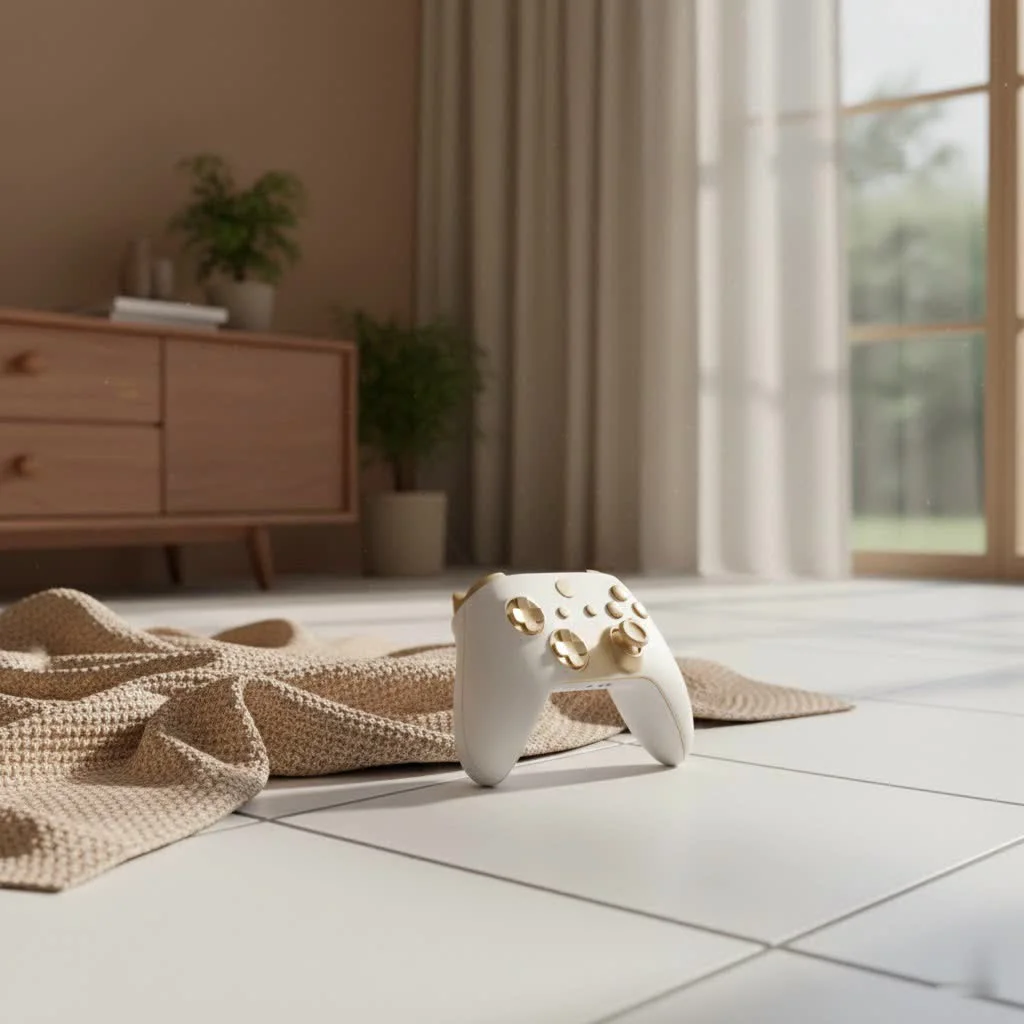
This isn’t just another mobile accessory; it’s a game-changer designed to bridge the gap between console-quality gaming and on-the-go convenience. The PS Backbone promises to unleash your gaming library from the confines of your living room, offering a tactile, responsive experience that touchscreen controls simply can’t match. For best gaming controller roundups on this site.
Unleashing Your PlayStation on the Go: What is the Backbone One PlayStation Edition?
The Backbone One PlayStation Edition is an officially licensed mobile gaming controller that literally snaps around your smartphone, instantly transforming it into a handheld console. Imagine the sleek, ergonomic feel of your PS5 DualSense controller, now perfectly integrated with your phone. This device is specifically tailored for PlayStation enthusiasts, featuring the iconic white finish and the familiar PlayStation face buttons (Triangle, Circle, X, Square) that make it feel right at home. It’s available in both Lightning and USB-C variants, catering to a wide range of iPhones (including the latest iPhone 15 series) and Android devices.
The core idea behind the PS Backbone is simple: enable seamless gaming wherever you are. Whether you’re dipping into PlayStation Remote Play, enjoying cloud gaming services, or diving into controller-supported mobile titles, the Backbone One PlayStation Edition aims to provide a premium, low-latency experience that truly feels like next-level mobile gaming.
A Closer Look: Design, Build, and Ergonomics
When you first hold the PS Backbone, its design immediately strikes you as both familiar and innovative. It features an expandable, two-section chassis that securely clamps onto your phone. This ingenious design maintains a lightweight and compact form factor, making it incredibly portable. You can easily toss it into a bag, and with the second-generation model, you can even keep most slim phone cases on, thanks to magnetic adapters.
The aesthetic, with its matte white finish, directly mirrors the PlayStation 5 DualSense controller, giving it a premium and cohesive look. However, there’s a distinct characteristic that PlayStation purists might notice: the analog stick layout. The PS Backbone adopts an “Xbox-style” offset thumbstick configuration, rather than the symmetrical layout found on traditional PlayStation controllers. While some users might find this a slight adjustment, most adapt quickly, and the clickable thumbsticks offer smooth, accurate movement for extended play sessions.
The face buttons provide a satisfyingly tactile and “clicky” feel, a welcome departure from the mushy buttons often found on cheaper mobile controllers. The R1 and L1 shoulder buttons have a less audible click, while the L2 and R2 triggers require a longer, silent press, offering a good range of input. The D-pad, though stiff, is highly responsive, enhancing gameplay across various genres. While the grips are comfortable for most, some users with larger hands might wish for a slightly bulkier feel for marathon gaming sessions. “The Backbone One PlayStation Edition truly captures the essence of console gaming in a portable form factor,” says Clara Nguyen, a veteran game controller engineer. “The attention to detail in its tactile feedback and build quality is evident, making it a reliable choice for serious mobile gamers.”
Seamless Connectivity: Plug, Play, and Power Up
One of the standout features of the PS Backbone is its commitment to a low-latency gaming experience. Unlike many Bluetooth controllers that can suffer from perceptible input lag, the Backbone One connects directly to your phone via its Lightning or USB-C port. This direct, wired connection ensures that your commands are registered almost instantaneously, making a significant difference in fast-paced or competitive games.
But the thoughtful design doesn’t stop there. The controller also includes a pass-through USB-C port, allowing you to charge your phone while actively gaming. This is a lifesaver during long commutes or extended play sessions, ensuring your phone’s battery doesn’t die mid-boss fight. Additionally, for those who prefer wired audio, the PS Backbone bravely incorporates a 3.5mm headphone jack, a feature increasingly rare on modern smartphones. This means you can plug in your favorite gaming headset and enjoy immersive audio without worrying about Bluetooth pairing or battery life. Beyond your phone, the Backbone One is surprisingly versatile; you can connect it via a cable to devices like iPads, Macs, or PCs, expanding its utility far beyond just mobile gaming.
The Backbone App: Your Gateway to Mobile Gaming Universes
The Backbone app is more than just a companion utility; it’s a central hub that genuinely transforms your phone into a console-like interface. When you plug in your PS Backbone, the app springs to life, offering a curated experience tailored for PlayStation gamers, complete with customized prompts and content. It neatly organizes your entire gaming library, pulling together controller-supported games from your App Store or Google Play downloads, alongside streaming services and remote play options.
Within the app, you’ll find features like game discovery, allowing you to browse trending titles and discover new favorites. It also boasts impressive recording and streaming capabilities, letting you capture gameplay in 1080p at 60fps and even stream directly to platforms like Twitch. Social features, chat rooms, and intelligent game recommendations further enhance the community aspect, making your phone feel less like a communication device and more like a dedicated entertainment system.
However, it’s worth noting the optional Backbone+ subscription, typically around $40 per year, which unlocks some of the app’s premium features. While the controller functions perfectly fine without it for basic gameplay, some users might find the push for a subscription a minor drawback. Nevertheless, the app’s fundamental functionality remains robust, offering a seamless way to manage and launch your games.
Gaming with the PS Backbone: Beyond Remote Play
The PS Backbone truly shines in its versatility, offering multiple avenues for high-quality mobile gaming.
PS Remote Play Deep Dive
|
Our Picks for the Best Game Controller in 2026
As an Amazon Associate I earn from qualifying purchases.
|
||
| Num | Product | Action |
|---|---|---|
| 1 | VOYEE Switch Controllers Compatible with Switch/Lite/OLED/PC Windows, 1000mAh Programmable RGB Lightning LED, Wireless Pro Controller with One Key Pairing/Wake Up/Turbo/Vibration |

|
| 2 | EasySMX X15 PC Controller - Enhanced Wireless Bluetooth Controller with Hall Joysticks/Hall Triggers/RGB Lighting - No Stick Drift, No Dead Zone - Work for Windows PC, Android, Steam and Switch |
|
| 3 | Xbox Elite Series 2 Core Wireless Gaming Controller – White Series X-S, One, Windows PC, Android, and iOS |
|
| 4 | PlayStation DualSense® Wireless Controller - Midnight Black |
|
| 5 | ManbaOne Interactive Screen Wireless Gaming Controller for PC/Switch/Switch 2/iOS/Android,Hall Effect Stick & Trigger,RGB Lighting,Remappable Buttons,1800mAh with Charging Dock (Black) |
|
| 6 | AceGamer Aurora II 2.4G Wireless Bluetooth Controller for PC/Android/Switch/iOS/Switch 2/Steam Deck with Rotary Motors, RGB Hall Effect Joysticks - Upgraded PC Gaming Controller and Back Buttons Lock |
|
| 7 | Spican Switch 2 Controller, Switch 2 Accessories Wireless Pro Controller with No-drift Hall Effect Joystick, 4 RGB Mode, 10H+ Battery, Turbo&Macro, Full-Size Hand-Curve Design Comfort for Nintendo Switch 2 Games |
|
| 8 | Logitech G F310 Wired Gamepad Controller Console Like Layout 4 Switch D-Pad PC - Blue/Black |
|
| 9 | 8BitDo Ultimate 2 Wireless Controller for Windows PC, Apple, Steam & Android, Gaming Controller with TMR Joysticks, Hall/Tactile Triggers, Motion Control, RGB Fire Ring, 1000Hz Polling Rate, Black |
|
| 10 | 8BitDo Ultimate 2C Wireless Controller for Windows PC and Android, with 1000 Hz Polling Rate, Hall Effect Joysticks and Triggers, and Remappable L4/R4 Bumpers (Green) |
|
For many, the primary appeal of the PlayStation Edition is its seamless integration with PS Remote Play. This feature allows you to stream your PS4 or PS5 games directly to your smartphone, effectively taking your entire console library with you. With the PS Backbone, firing up Remote Play feels incredibly natural, almost as if you’re holding a miniature DualSense. The controller maps PlayStation button nomenclature within games, eliminating the mental gymnastics of translating ABXY to your familiar Triangle, Circle, X, Square.
It’s an unparalleled way to enjoy games like God of War, Horizon Forbidden West, or Gran Turismo 7 from another room, on your commute, or even at a friend’s house. However, it’s crucial to manage expectations regarding internet stability. While the Backbone One ensures minimal input lag from the controller itself, it cannot magically fix underlying latency issues caused by a weak Wi-Fi signal or slow broadband connection. For the best experience, a stable, high-speed internet connection (ideally 15Mbps or higher) at both your console and phone’s location is recommended.
Cloud Gaming and Native Mobile Titles
Beyond PlayStation Remote Play, the PS Backbone is a fantastic companion for various cloud gaming services. It offers native support for platforms like Xbox Game Pass, NVIDIA GeForce NOW, and Amazon Luna, giving you access to vast libraries of AAA titles without needing to own a console or powerful PC. This flexibility transforms your phone into a universal gaming machine, ready for any cloud adventure.
Moreover, the controller enhances the experience of hundreds of native mobile games that support external controllers. Popular titles such as Call of Duty: Warzone Mobile, Genshin Impact, Stardew Valley, Roblox, and Minecraft become significantly more enjoyable and precise with physical controls. While some mobile games might require a quick visit to their in-game settings to enable controller support, the process is generally straightforward. The Backbone app also features “TouchSync,” a clever solution that allows you to map physical controls to touchscreen inputs for games without native controller support, proving its adaptability.
The Rise of Mobile Emulation
With the increasing power of smartphones and the growing trend of mobile emulation, the PS Backbone has become a favorite among retro gaming enthusiasts. Emulators like Delta on iOS work natively with the controller, allowing you to revisit classic games from past generations with a comfortable, familiar gamepad. This opens up a new world of nostalgic gaming experiences, all within the palm of your hand.
PS Backbone Pros and Cons: A Balanced View
Every piece of gaming hardware has its strengths and weaknesses. Here’s a balanced look at what makes the PS Backbone stand out and where it might fall short:
Pros:
- Console-Quality Build & Feel: Designed to mimic the PlayStation experience, offering tactile buttons and comfortable ergonomics.
- Ultra-Low Latency: Direct wired connection eliminates the input lag associated with Bluetooth.
- Versatile Compatibility: Supports PS Remote Play, Xbox Game Pass, NVIDIA GeForce NOW, Apple Arcade, and a multitude of native mobile games and emulators.
- Portable & Compact: Its expandable design makes it easy to carry, transforming your phone into a handheld console on the go.
- Essential Features: Includes pass-through charging and a 3.5mm headphone jack.
- Robust App Ecosystem: The Backbone app acts as a comprehensive gaming launcher and social hub.
- Official PlayStation Licensing: Ensures seamless integration and a familiar aesthetic for PS fans.
Cons:
- Offset Thumbsticks: The Xbox-style layout might be a point of contention for dedicated PlayStation players used to symmetrical sticks.
- No Haptic Feedback/Adaptive Triggers: Lacks the advanced haptics and adaptive triggers found in the DualSense controller and, consequently, the PlayStation Portal.
- Backbone+ Subscription: While optional, the push for a yearly subscription for premium app features can be seen as a downside.
- Smaller Buttons: Compared to full-sized console controllers, the face buttons and joysticks are more compact, which might take some getting used to.
- Doesn’t Fix Network Lag: Relies heavily on a stable internet connection for remote play and cloud gaming; it can’t magically resolve Wi-Fi issues.
- Initial Build Perception: Can feel slightly “flimsy” when no phone is inserted, though it becomes sturdy once a phone is securely docked.
Backbone One PlayStation Edition vs. PlayStation Portal: Which is Right for You?
When considering a dedicated device for PS Remote Play, the Backbone One PlayStation Edition often enters a direct comparison with Sony’s own PlayStation Portal. While both offer a way to stream your PS5 games, their philosophies and features diverge significantly.
The PlayStation Portal is a singular-purpose device, designed exclusively for PS Remote Play. Its key advantages are a larger 8-inch LCD screen and the inclusion of full DualSense features, including haptic feedback and adaptive triggers, offering the most authentic PlayStation controller experience. However, it is entirely locked into the PlayStation ecosystem, cannot play native mobile games, or access other cloud gaming services. It’s a dedicated, premium PS Remote Play experience.
The PS Backbone, on the other hand, is all about versatility. While it may not offer the DualSense’s haptics or a dedicated, larger screen, it leverages your smartphone’s often superior AMOLED display and broader capabilities. It’s significantly more portable and allows you to play not only PS Remote Play but also a vast array of native mobile games, Xbox Game Pass titles, GeForce NOW, and even emulate classic consoles. If you value a multi-platform gaming solution that fits seamlessly into your existing smartphone ecosystem, the PS Backbone is the clear winner. If pure, unadulterated PS Remote Play with all DualSense bells and whistles is your sole focus, the Portal might edge it out.
Tips for Optimizing Your PS Backbone Gaming Experience
To truly get the most out of your PS Backbone, here are a few expert tips:
- Prioritize Your Network: For PS Remote Play and cloud gaming, a strong, stable Wi-Fi connection is paramount. Consider a wired connection for your PS5 or PS4 console if possible, and ensure your phone is connected to a 5GHz Wi-Fi band for optimal performance.
- Check Game Compatibility: Before diving in, quickly verify if a specific mobile game officially supports controllers. The Backbone app does a great job of highlighting compatible titles.
- Adjust In-Game Settings: Some games might require a manual switch from touchscreen to controller input within their settings menus. Take a moment to explore these options for the best experience.
- Invest in a Carry Case: While durable, protecting your PS Backbone, especially the connector port, with an official or third-party carry case is a smart move for travel.
- Experiment with TouchSync: For games without native controller support, give the Backbone app’s TouchSync feature a try. It can surprisingly transform the playability of many touch-only titles.
Conclusion
The PS Backbone, or Backbone One PlayStation Edition, is a phenomenal piece of kit that genuinely revolutionizes mobile gaming. It seamlessly blends the convenience of smartphone portability with the precision and immersion of a dedicated gaming controller. From streaming your latest PS5 blockbusters via Remote Play to exploring vast libraries on Xbox Game Pass or diving into your favorite mobile titles, this device offers an unparalleled, low-latency, and tactile experience. While it has its minor quirks, such as the offset thumbsticks or the optional subscription, its overall value proposition as a versatile, high-quality mobile gaming solution is undeniable. If you’re ready to unlock the full gaming potential of your smartphone and truly game on the go, the PS Backbone is an investment that will undoubtedly elevate your experience. Get ready to game without limits and make every moment an opportunity for adventure with your PS Backbone.
Get our weekly buyer guide
Practical specs, not advice. Unsubscribe anytime.
