A gamepad is a handheld input device that allows players to control characters and actions within a video game, serving as a direct link to the digital realm. These versatile devices are commonly used across various platforms, including gaming consoles like PlayStation and Xbox, personal computers, and mobile devices. Modern gamepads have evolved significantly since their introduction in 1985 by Nintendo and Sega, now featuring sophisticated engineering designed to enhance immersion and control for millions of gamers.
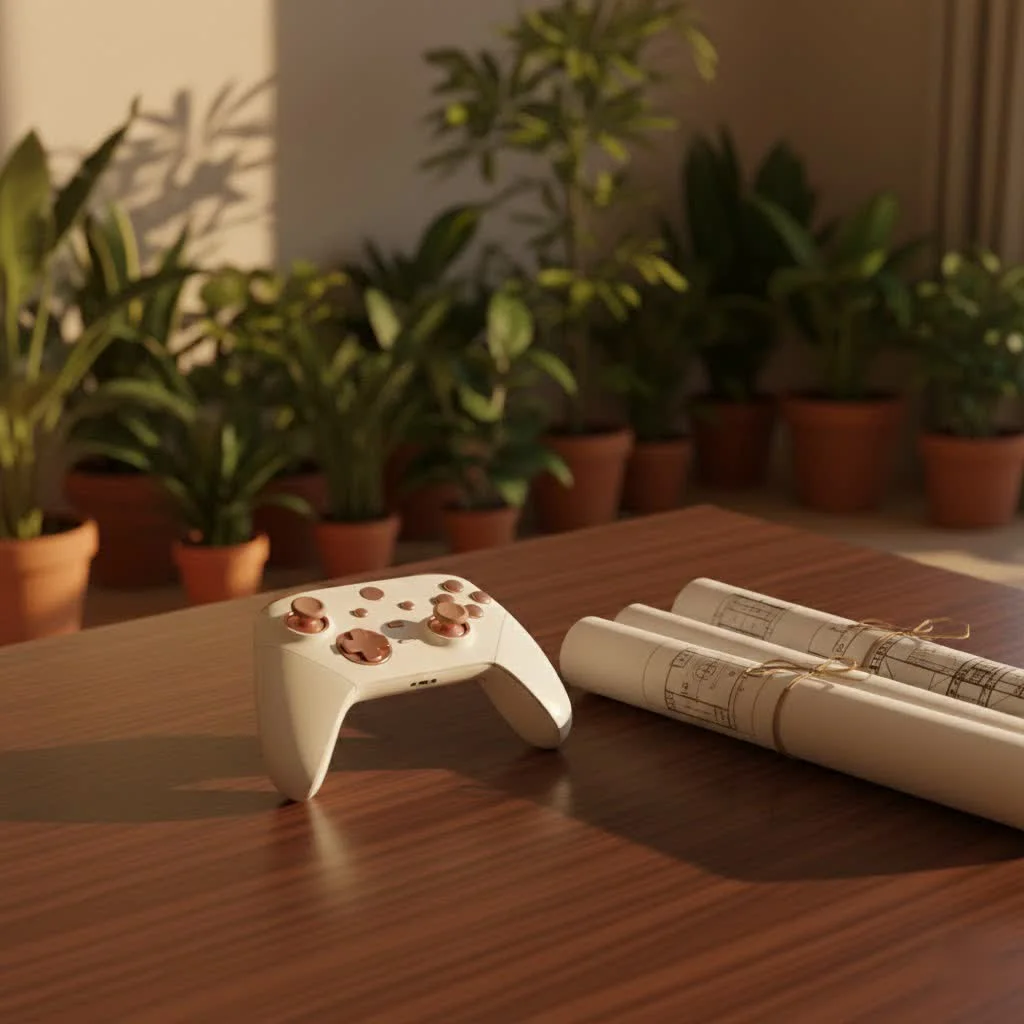
As someone who’s spent over a decade deep in the trenches of game controller technology, both as a player and a content creator for Vntut.com, I’ve seen gamepads evolve from simple directional pads to complex input systems. They’ve become the primary means of interaction for millions of gamers, bridging the gap between human intent and on-screen action with remarkable precision and comfort. But what exactly makes a gamepad tick, and how can you choose the one that truly unlocks your gaming potentialLet’s dive in. For browse all gaming controller articles on this site.
What Exactly Is a Gamepad?
At its core, a gamepad is a handheld input device that allows you to control characters and actions within a video game. Think of it as your direct link to the digital realm, transforming your finger movements and button presses into instant commands in your favorite virtual adventures. These versatile devices are commonly used across various platforms, including gaming consoles like PlayStation and Xbox, personal computers, and even mobile devices.
How Do Gamepads Work Their Magic?
A gamepad operates by transmitting signals to the device it’s connected to. When you press a button, pull a trigger, or flick a thumbstick, these physical inputs are converted into electrical signals. For wired gamepads, these signals travel directly via a USB cable. For wireless models, Bluetooth or Wi-Fi technology beams these commands to your console, PC, or phone, offering you greater freedom of movement. The game’s software then interprets these signals, telling your character to jump, shoot, move left, or perform any other action you intend. This rapid, seamless communication ensures a fluid and responsive gaming experience.
Anatomy of a Modern Gamepad: Beyond the Basics
While the fundamental design of gamepads has remained consistent since their introduction in 1985 by Nintendo and Sega, they’ve undergone significant advancements. Today’s gamepads are packed with features designed to enhance immersion and control.
Core Components You’ll Find
- Buttons: These are your primary action inputs, typically used for jumping, attacking, interacting, or selecting options.
- Triggers: Often found on the underside or “shoulders” of the controller, triggers are frequently used for actions like accelerating, braking, or firing weapons in games. Many modern triggers are analog, meaning they can detect varying levels of pressure, offering more nuanced control.
- Thumbsticks (Analog Sticks): Usually one or two, these provide 360-degree analog control for character movement or camera rotation. Their analog nature allows for subtle, precise inputs, which is crucial for genres like racing or third-person adventures.
- Directional Pad (D-Pad): A four-way digital input, the D-pad is excellent for precise directional commands, especially in fighting games or navigating menus.
- Shoulder Buttons (Bumpers): Located alongside the triggers, these are typically digital “on/off” buttons used for quick actions or modifier functions.
- Start, Select, and Home Buttons: Essential for pausing, accessing menus, or returning to the system dashboard.
Advanced Features for the Serious Gamer
|
Our Picks for the Best Game Controller in 2026
As an Amazon Associate I earn from qualifying purchases.
|
||
| Num | Product | Action |
|---|---|---|
| 1 | AceGamer Aurora II 2.4G Wireless Bluetooth Controller for PC/Android/Switch/iOS/Switch 2/Steam Deck with Rotary Motors, RGB Hall Effect Joysticks - Upgraded PC Gaming Controller and Back Buttons Lock |

|
| 2 | Logitech G F310 Wired Gamepad Controller Console Like Layout 4 Switch D-Pad PC - Blue/Black |
|
| 3 | Spican Switch 2 Controller, Switch 2 Accessories Wireless Pro Controller with No-drift Hall Effect Joystick, 4 RGB Mode, 10H+ Battery, Turbo&Macro, Full-Size Hand-Curve Design Comfort for Nintendo Switch 2 Games |
|
| 4 | ManbaOne Interactive Screen Wireless Gaming Controller for PC/Switch/Switch 2/iOS/Android,Hall Effect Stick & Trigger,RGB Lighting,Remappable Buttons,1800mAh with Charging Dock (Black) |
|
| 5 | Xbox Elite Series 2 Core Wireless Gaming Controller – White Series X-S, One, Windows PC, Android, and iOS |
|
| 6 | VOYEE Switch Controllers Compatible with Switch/Lite/OLED/PC Windows, 1000mAh Programmable RGB Lightning LED, Wireless Pro Controller with One Key Pairing/Wake Up/Turbo/Vibration |
|
| 7 | 8BitDo Ultimate 2C Wireless Controller for Windows PC and Android, with 1000 Hz Polling Rate, Hall Effect Joysticks and Triggers, and Remappable L4/R4 Bumpers (Green) |
|
| 8 | PlayStation DualSense® Wireless Controller - Midnight Black |
|
| 9 | 8BitDo Ultimate 2 Wireless Controller for Windows PC, Apple, Steam & Android, Gaming Controller with TMR Joysticks, Hall/Tactile Triggers, Motion Control, RGB Fire Ring, 1000Hz Polling Rate, Black |
|
| 10 | EasySMX X15 PC Controller - Enhanced Wireless Bluetooth Controller with Hall Joysticks/Hall Triggers/RGB Lighting - No Stick Drift, No Dead Zone - Work for Windows PC, Android, Steam and Switch |
|
Modern gamepads aren’t just about basic inputs; they offer a suite of advanced features that can truly improve your play:
- Haptic Feedback (Vibration Motors): These internal motors provide tactile sensations, letting you “feel” in-game events like explosions, impacts, or the rumble of an engine. This adds a layer of immersion that a simple keyboard can’t replicate.
- Motion Sensors: Some gamepads, like those for the Nintendo Switch or PlayStation DualSense, incorporate accelerometers and gyroscopes, enabling motion-controlled gameplay.
- Touchpads: Found on controllers like the PlayStation DualSense, touchpads offer an additional input method, useful for menu navigation or specific in-game interactions.
- Customizable Profiles & Programmable Macros: High-end gamepads often come with software that lets you remap buttons, adjust stick sensitivity, create custom button layouts, and even program complex macros for a series of actions with a single press.
- Back Paddles/Buttons: Located on the rear of the controller, these extra buttons provide additional inputs without requiring you to lift your thumbs off the analog sticks or face buttons, offering a significant competitive advantage.
- Hall Effect Joysticks & Triggers: Utilizing magnetic fields instead of physical contacts, these components are less prone to wear and tear, reducing the dreaded “stick drift” issue and offering greater longevity and precision.
- Audio Jacks: Conveniently allowing you to plug in a gaming headset directly to your controller for in-game audio and chat.
“A truly great gamepad isn’t just about pressing buttons; it’s about extending your will directly into the game world, creating an almost seamless mental connection,” notes Julian “Jules” Vance, a seasoned game hardware analyst. “The evolution of features like haptic feedback and Hall effect sensors is constantly pushing that boundary, making every interaction feel more organic and responsive.”
Why Choose a Gamepad Over Keyboard and Mouse?
For many games, especially fast-paced action, sports, fighting, or adventure titles, gamepads offer distinct advantages:
- Ergonomics and Comfort: Gamepads are designed to fit naturally in your hands, reducing fatigue during extended gaming sessions. This makes them ideal for marathon plays.
- Analog Control: The analog thumbsticks and triggers provide a nuanced level of control that digital keyboard inputs simply can’t match. Imagine precisely feathering the throttle in a racing game or subtly guiding your character’s movement.
- Immersion: Haptic feedback and responsive triggers pull you deeper into the game world, making every hit, explosion, or acceleration more impactful.
- Portability and Convenience: Wireless gamepads offer the flexibility to play from your couch, switch between devices easily, and generally provide a more relaxed gaming posture.
- Multiplayer Potential: Gamepads are inherently designed for local multiplayer, making it easy to share the fun with friends on a single screen.
Of course, for genres like real-time strategy (RTS) or first-person shooters (FPS) where pinpoint aiming and a multitude of hotkeys are paramount, a keyboard and mouse often remain the superior choice. But for a vast library of games, gamepads deliver an experience that feels natural and deeply engaging.
How to Pick the Perfect Gamepad for Your Setup
Choosing the right gamepad can feel overwhelming with the sheer number of options available. Here’s what to consider to ensure you pick a controller that perfectly suits your gaming style:
1. Compatibility is Key
First and foremost, ensure the gamepad works with your primary gaming platforms.
- PC Gaming: Most Xbox controllers offer excellent, native out-of-the-box support with Windows PCs and platforms like Steam. PlayStation and Nintendo controllers can also be used, often requiring additional software or adapters.
- Consoles: Stick to first-party controllers (e.g., Xbox controller for Xbox consoles, DualSense for PS5) for guaranteed compatibility and features.
- Mobile Devices: Look for gamepads specifically designed for Android or iOS, often connecting via Bluetooth.
2. Comfort and Ergonomics
You’ll be holding this device for hours, so comfort is non-negotiable.
- Hand Size: Some controllers are larger or smaller. If possible, try holding different models to see what feels best.
- Button Layout: Consider whether you prefer the symmetrical stick layout of PlayStation controllers or the asymmetrical design of Xbox controllers. Both have their devotees!
- Grip Texture: Some controllers offer textured grips for added comfort and control.
3. Wired vs. Wireless: What’s Your Preference?
- Wired Gamepads: Offer zero latency, never run out of battery, and are generally more affordable. The downside is limited movement due to the cable.
- Wireless Gamepads: Provide freedom of movement, perfect for couch gaming. However, they require charging or batteries and can introduce a tiny bit of latency, though this is negligible in modern controllers.
4. Essential Features and Advanced Options
Prioritize features based on your gaming habits:
- Haptic Feedback: If immersion is crucial, ensure your chosen gamepad offers robust vibration.
- Analog Triggers: A must for racing games and any title where nuanced input matters.
- Customization: For competitive gamers or those who like to tinker, programmable buttons, adjustable stick tension, and swappable components are invaluable. Look for controllers with companion software for deep customization.
- Durability: Features like Hall effect joysticks reduce wear and tear, extending the lifespan of your controller and preventing common issues like stick drift.
5. Budget Considerations
Gamepad prices vary widely. While budget options exist, investing in a high-quality gamepad often translates to better build quality, more features, and greater longevity.
- Entry-Level: Great for casual gamers or those on a tight budget.
- Mid-Range: Offers a good balance of features and performance.
- Premium/Pro Controllers: Designed for serious enthusiasts or competitive players, offering extensive customization, advanced features, and superior build quality.
Popular Gamepads to Consider (2024-2025)
The gamepad market is vibrant, with continuous innovation from both first-party manufacturers and third-party brands. Here are some top contenders you might encounter:
- Xbox Wireless Controller: Often considered the default for PC gamers due to its excellent Windows compatibility and ergonomic design.
- Sony DualSense (PS5 Controller): Renowned for its advanced haptic feedback and adaptive triggers, offering an incredibly immersive experience.
- Nintendo Switch Pro Controller: A solid, comfortable option for Switch players and also compatible with PCs.
- Razer Wolverine V3 Pro: A premium choice for PC and Xbox, featuring springy buttons, trigger stops, and Hall effect joysticks.
- Flydigi Apex 4 / Vader 4 Pro: Praised for innovative features like adaptive triggers and high-quality analog sticks.
- SCUF Controllers: Highly customizable, pro-level controllers with remappable paddles and enhanced triggers.
- 8BitDo Controllers (e.g., 8BitDo Pro 2, Ultimate 2): Excellent third-party options known for their versatility, retro-inspired designs, and good value.
Gamepad Maintenance Tips for Longevity
To ensure your gamepad stays in top shape and delivers peak performance for years to come, consider these simple maintenance tips:
- Keep it Clean: Regularly wipe down your gamepad with a soft, dry cloth to remove dust and grime. For stubborn dirt, use a slightly damp cloth with mild soap, then dry thoroughly.
- Clean Nooks and Crannies: Use a cotton swab or a soft-bristled brush to clean around buttons, thumbsticks, and seams where dirt can accumulate. Compressed air can also help dislodge debris.
- Store Properly: When not in use, store your gamepad in a clean, dry place away from direct sunlight and extreme temperatures. Consider a case or stand to protect it from accidental drops or spills.
- Manage Cables (Wired): If you have a wired gamepad, avoid tightly wrapping the cable or putting excessive strain on the connection points. This prevents fraying and extends cable life.
- Battery Care (Wireless): For wireless gamepads, avoid overcharging. If your controller uses removable batteries, take them out if you don’t plan to use the controller for an extended period to prevent corrosion.
Pick the Perfect Gamepad for Your Setup
Choosing the right gamepad can feel overwhelming with the sheer number of options available. This guide helps you consider key factors to ensure you pick a controller that perfectly suits your gaming style.
First and foremost, ensure the gamepad works with your primary gaming platforms. Xbox controllers offer native support with Windows PCs, while PlayStation and Nintendo controllers may require additional software. For consoles, stick to first-party controllers for guaranteed compatibility.
Since you'll be holding the device for hours, comfort is non-negotiable. Consider your hand size, preferred button layout (symmetrical vs. asymmetrical sticks), and grip texture. If possible, try holding different models to see what feels best.
Wired gamepads offer zero latency and never run out of battery, but limit movement. Wireless gamepads provide freedom of movement, ideal for couch gaming, but require charging and can introduce negligible latency. Choose based on your gaming environment and priorities.
Prioritize features based on your gaming habits. Haptic feedback is crucial for immersion, and analog triggers are a must for racing games. For competitive gamers, look for customization options like programmable buttons and Hall effect joysticks for durability.
Gamepad prices vary widely, from entry-level options for casual gamers to premium/pro controllers for serious enthusiasts. Investing in a high-quality gamepad often translates to better build quality, more features, and greater longevity, so balance cost with desired performance.
Get our weekly buyer guide
Practical specs, not advice. Unsubscribe anytime.

I recently switched from keyboard and mouse to a gamepad for some of my PC games, and it’s been a surprisingly smooth transition. I picked up a DualSense controller, and the haptic feedback is just incredible for immersion. It really adds another layer to games like Spider-Man. My only minor gripe is the battery life could be a bit better, but overall, I’m really happy with it.
I’ve been a PlayStation gamer since the original, and the evolution of gamepads has been amazing. The ergonomics of the latest DualSense are fantastic, even for long sessions. I appreciate how far they’ve come since the simpler designs of the 80s, as mentioned in the guide. It’s clear a lot of thought goes into making these devices comfortable and precise.
I’ve been using the Xbox Elite Series 2 for a while now, and it’s truly a game-changer. The customizable paddles and trigger stops make such a difference in competitive shooters. It felt like a big investment at first, but after seeing how much it improved my gameplay, I can confidently say it was worth every penny. Definitely recommend it if you’re serious about your gaming.
I got a budget-friendly gamepad for my mobile gaming, and while it gets the job done for casual play, it’s not perfect. The connection can be a bit spotty sometimes, and the buttons feel a little mushy compared to my friend’s more expensive controller. For the price, it’s okay, but I might save up for something with better build quality next time, especially if I’m playing for longer sessions.