Stepping up your gaming game means more than just skill – it’s about having the right tools in hand. If you’ve ever felt limited by a standard gamepad, yearning for greater precision, faster reactions, and a truly personalized experience, then it’s time to talk about the Elite Controller. For over a decade, I’ve seen countless advancements in gaming peripherals, and nothing quite elevates your play like a premium, customizable gamepad. Whether you’re a seasoned esports competitor or simply a passionate gamer striving for peak performance, understanding and utilizing an elite controller can genuinely transform how you interact with your favorite titles.
What Exactly is an Elite Controller?
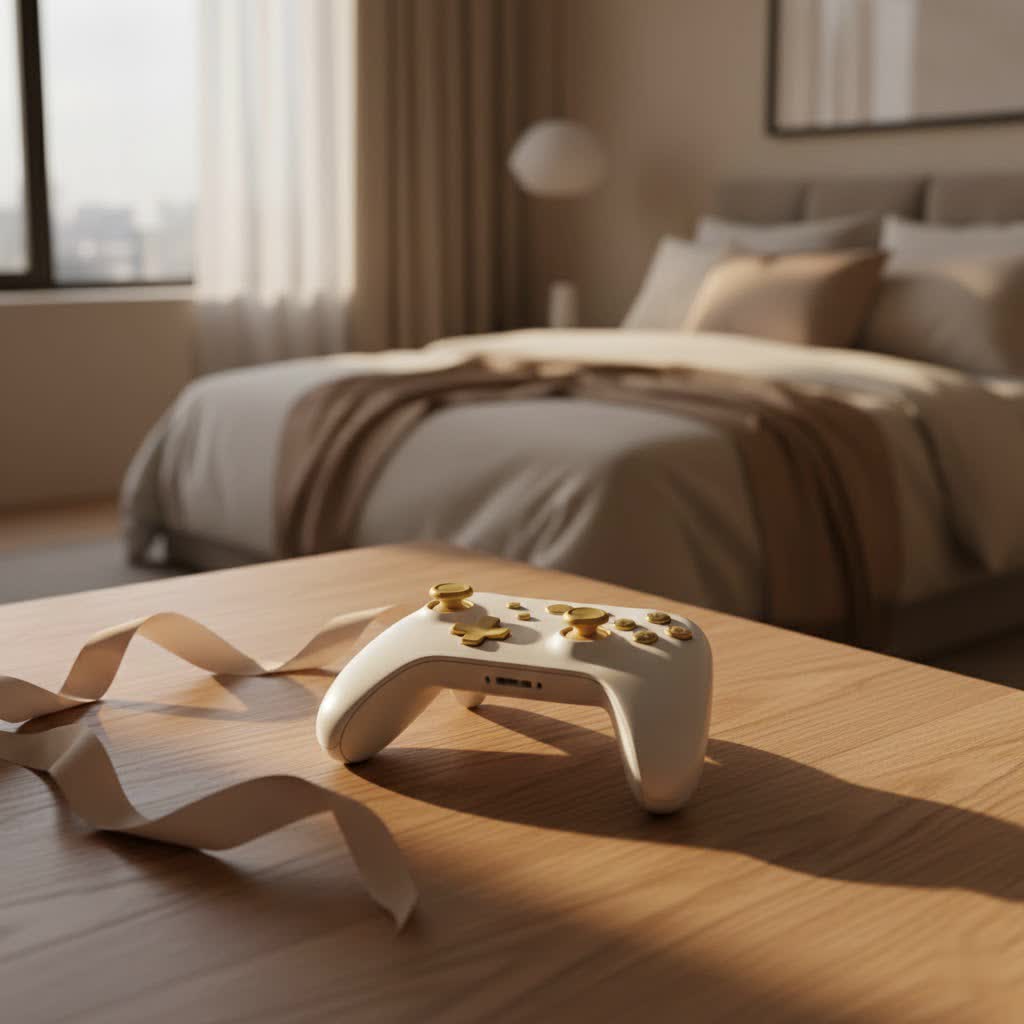
At its core, an elite controller is a high-performance gaming peripheral engineered for competitive and enthusiast gamers. Unlike your standard gamepad, these controllers boast a suite of advanced features, superior build quality, and extensive customization options designed to give players a significant edge. Think of it as upgrading from a standard sports car to a finely tuned, personalized race machine – every component is optimized for performance, responsiveness, and ergonomic comfort, allowing you to react quicker, aim with more precision, and execute complex commands with unparalleled efficiency.
The Core Innovations: Features That Define Elite Controllers
What makes an elite controller so special? It’s the combination of sophisticated hardware and intelligent software, working in harmony to deliver a truly personalized gaming experience. These aren’t just minor tweaks; they’re fundamental design choices that empower you to play at your absolute best.
Interchangeable Components: Tailoring Your Setup
One of the hallmarks of an elite controller is its modular design. Imagine being able to swap out parts of your controller to perfectly match your hand size, grip style, and the specific demands of any game.
- Thumbsticks: Elite controllers often come with a variety of thumbstick shapes, heights, and even adjustable tension mechanisms. This means you can choose a short, domed stick for quick movements in fighting games, or a tall, concave stick with increased resistance for precise aiming in an FPS. The ability to fine-tune tension, as seen in the Xbox Elite Series 2, allows you to dial in the perfect feel, from loose and fluid to firm and controlled.
- D-pads: Whether you prefer the traditional cross-shaped D-pad for classic platformers or a faceted, dish-style D-pad for sweeping motions in fighting games, elite controllers let you switch them out magnetically.
- Paddles: Perhaps the most iconic feature, rear paddles allow you to map face buttons (A, B, X, Y) or other commands to your unused fingers on the back of the controller. This eliminates the need to lift your thumb off the analog stick to jump, reload, or melee, providing a crucial advantage in fast-paced games where keeping your thumb on the stick for aiming or movement is paramount. Most elite controllers offer two or four removable paddles.
|
Our Picks for the Best Game Controller in 2026
As an Amazon Associate I earn from qualifying purchases.
|
||
| Num | Product | Action |
|---|---|---|
| 1 | Spican Switch 2 Controller, Switch 2 Accessories Wireless Pro Controller with No-drift Hall Effect Joystick, 4 RGB Mode, 10H+ Battery, Turbo&Macro, Full-Size Hand-Curve Design Comfort for Nintendo Switch 2 Games |

|
| 2 | 8BitDo Ultimate 2 Wireless Controller for Windows PC, Apple, Steam & Android, Gaming Controller with TMR Joysticks, Hall/Tactile Triggers, Motion Control, RGB Fire Ring, 1000Hz Polling Rate, Black |
|
| 3 | AceGamer Aurora II 2.4G Wireless Bluetooth Controller for PC/Android/Switch/iOS/Switch 2/Steam Deck with Rotary Motors, RGB Hall Effect Joysticks - Upgraded PC Gaming Controller and Back Buttons Lock |
|
| 4 | ManbaOne Interactive Screen Wireless Gaming Controller for PC/Switch/Switch 2/iOS/Android,Hall Effect Stick & Trigger,RGB Lighting,Remappable Buttons,1800mAh with Charging Dock (Black) |
|
| 5 | Xbox Elite Series 2 Core Wireless Gaming Controller – White Series X-S, One, Windows PC, Android, and iOS |
|
| 6 | VOYEE Switch Controllers Compatible with Switch/Lite/OLED/PC Windows, 1000mAh Programmable RGB Lightning LED, Wireless Pro Controller with One Key Pairing/Wake Up/Turbo/Vibration |
|
| 7 | 8BitDo Ultimate 2C Wireless Controller for Windows PC and Android, with 1000 Hz Polling Rate, Hall Effect Joysticks and Triggers, and Remappable L4/R4 Bumpers (Green) |
|
| 8 | EasySMX X15 PC Controller - Enhanced Wireless Bluetooth Controller with Hall Joysticks/Hall Triggers/RGB Lighting - No Stick Drift, No Dead Zone - Work for Windows PC, Android, Steam and Switch |
|
| 9 | PlayStation DualSense® Wireless Controller - Midnight Black |
|
| 10 | Logitech G F310 Wired Gamepad Controller Console Like Layout 4 Switch D-Pad PC - Blue/Black |
|
Hair Trigger Locks: Instant Action, Zero Lag
In competitive shooters, every millisecond counts. Hair Trigger Locks are a game-changer, mechanically shortening the distance your trigger needs to travel before registering an input. With a simple flick of a switch, your full-pull trigger action becomes an almost instant click, allowing for faster firing and quicker reactions in intense firefights. This can be the difference between getting the first shot off and being eliminated.
Deep Customization via Software: Your Game, Your Rules
Beyond physical customization, elite controllers truly shine with their accompanying software. The Xbox Accessories app, for instance, offers an incredible depth of personalization.
- Button Remapping: Reassign any button, including the paddles, to any other input on the controller. This allows you to create highly ergonomic layouts that feel natural and intuitive for your playstyle.
- Sensitivity Curves: Adjust the responsiveness of your thumbsticks and triggers. Want finer control at the center of the stick for subtle aim adjustments, but quicker response at the edges for rapid turns? You can set custom curves to achieve just that.
- Profile Management: Save multiple unique configurations directly to the controller and switch between them on the fly with a dedicated profile button. This means you can have one setup for Call of Duty, another for Forza, and a third for a single-player RPG, all without diving back into an app.
Premium Build & Ergonomics: Comfort Meets Durability
You’ll immediately notice the difference in feel when you pick up an elite controller. They are built with higher-quality materials, often incorporating metal components for thumbstick bases and triggers, and robust rubberized grips. This not only provides a more luxurious and substantial feel in your hands but also enhances grip and stability during long gaming sessions. The ergonomic design is often refined to fit a wider range of hand sizes and reduce fatigue, ensuring you stay comfortable and focused, even through the most demanding gaming marathons.
Elite Controller vs. Standard Controller: Is the Upgrade Worth It?
The leap from a standard gamepad to an elite controller is substantial, but it comes with considerations. Let’s break down whether this premium investment is truly worth it for you.
Price Point: Investment for Performance
There’s no sugarcoating it: elite controllers are significantly more expensive than their standard counterparts. A typical elite controller can cost two to three times as much as a basic model. This higher price tag reflects the advanced features, superior materials, and intricate engineering involved. For many, it’s a justifiable investment in a tool that can genuinely enhance performance and enjoyment. For casual players, however, the benefits might not outweigh the cost.
Performance & Responsiveness: Gaining an Edge
The primary goal of an elite controller is to provide a competitive advantage. The ability to keep your thumbs on the sticks while executing commands with paddles, the faster firing of hair triggers, and the finely tuned stick sensitivities all contribute to quicker reactions and more precise inputs. This can be particularly impactful in genres like first-person shooters, fighting games, and competitive racing titles where split-second decisions and accurate movements determine victory.
However, it’s worth noting that some independent tests have shown that standard controllers can occasionally exhibit slightly lower input latency in certain wireless scenarios. While this difference is often imperceptible to the average gamer, it’s a nuance to consider. The true performance gain from an elite controller often comes from its ergonomic and customization benefits, allowing you to perform better, rather than the controller itself inherently being “faster” in all metrics.
Durability & Longevity: The Elephant in the Room
One of the most talked-about aspects of elite controllers has historically been their durability. While they boast premium materials, early models, particularly of the Xbox Elite Series 1, faced common issues like peeling rubber grips and stick drift. Microsoft made significant improvements with the Elite Series 2, refining components and enhancing build quality.
“While no controller is immune to wear and tear, modern elite controllers have greatly improved their resilience,” notes Dr. Liam Kincaid, Lead Engineer at Vntut Labs. “Features like adjustable stick tension and reinforced rings around the thumbsticks are direct responses to feedback, aiming to extend the lifespan of these high-performance devices.”
Even with these improvements, stick drift remains a potential concern for both standard and elite controllers, as it’s often a limitation of current analog stick technology. However, some newer elite controllers, like the PlayStation DualSense Edge, have introduced replaceable stick modules, offering a practical solution to this widespread problem.
Choosing Your Champion: Top Elite Controllers on the Market
The market for elite controllers has expanded significantly, offering fantastic options for every platform.
Xbox Elite Wireless Controller Series 2: The Industry Benchmark
For Xbox and PC gamers, the Xbox Elite Wireless Controller Series 2 is often considered the gold standard. It features adjustable-tension thumbsticks, shorter hair trigger locks, a wrap-around rubberized grip, and a long-lasting rechargeable battery (up to 40 hours). Its seamless integration with the Xbox Accessories app allows for unparalleled customization, with up to three custom profiles saved directly on the controller. It comes with a full suite of interchangeable components, including various thumbstick shapes, D-pads, and four paddles, all housed in a premium carrying case.
SCUF Controllers: Beyond the Standard
SCUF Gaming has been a pioneer in the pro controller space, offering highly customizable gamepads for Xbox, PlayStation, and PC. SCUF controllers are renowned for their ergonomic designs, a wide array of color and finish options, and proprietary features like their “Instant Triggers” which mimic a mouse click for ultra-fast response. Models like the SCUF Instinct Pro offer four customizable rear paddles, interchangeable thumbsticks, and a premium feel, making them a top choice for competitive players looking for granular control and a unique aesthetic.
PlayStation DualSense Edge: Sony’s Pro Contender
Sony’s entry into the elite controller market, the DualSense Edge, brings the beloved features of the standard DualSense to a professional level. It boasts interchangeable stick modules, a crucial feature for combating stick drift, along with customizable back buttons (paddles), adjustable trigger stops, and multiple customizable profiles. Designed specifically for the PS5, it integrates seamlessly with the console’s UI for on-the-fly adjustments. While it offers fewer interchangeable components than some rivals, its focus on core competitive features and excellent build quality makes it a strong contender for PlayStation enthusiasts.
Maximizing Your Elite Controller: Tips from a Pro
Having an elite controller is only half the battle; knowing how to leverage its power is where true mastery lies.
- Master the Customization App: Don’t just plug and play. Spend time with the Xbox Accessories app (or your controller’s equivalent software). Experiment with different button mappings, trigger sensitivities, and thumbstick curves. You might be surprised at how much a subtle tweak can improve your game.
- Find Your Paddle Configuration: Start with just two paddles if four feel overwhelming. Map actions you frequently use while needing to aim or move (e.g., jump, reload, melee, weapon swap). Gradually incorporate more as you get comfortable. The goal is to avoid taking your thumbs off the sticks as much as possible.
- Utilize Profiles: Create game-specific profiles. An FPS might benefit from hair triggers and a tight stick curve, while a racing game needs full trigger travel and a smoother stick response. Switch effortlessly between them using your controller’s profile button.
- Proper Maintenance for Longevity: Treat your elite controller like the precision instrument it is. Keep it clean, use its carrying case, and avoid unnecessary drops. While durability has improved, regular care will significantly extend its lifespan, especially for components like grips and thumbsticks.
Frequently Asked Questions About Elite Controllers
Are elite controllers really worth the higher price?
For competitive gamers, enthusiasts, or those seeking a significant ergonomic advantage and deep customization, an elite controller can be absolutely worth the investment. The ability to fine-tune your inputs, improve reaction times with features like back paddles and hair triggers, and enjoy superior build quality often translates to a better and more competitive gaming experience. For casual players, the benefits might not justify the cost.
Do elite controllers help with stick drift?
While elite controllers are not inherently immune to stick drift, some newer models, such as the PlayStation DualSense Edge, address this by offering easily replaceable stick modules. This allows you to replace a faulty stick component without needing to buy an entirely new controller, extending the device’s lifespan. Additionally, the higher quality components and adjustable tension in some elite controllers may offer slightly better longevity compared to standard sticks, though drift can still occur over time.
How long do elite controllers usually last?
The lifespan of an elite controller can vary significantly based on usage, care, and specific model. Earlier models faced some durability concerns, particularly with rubberized grips and stick modules. However, recent generations like the Xbox Elite Series 2 have made considerable improvements in build quality and component refinement. With proper care and maintenance, including using carrying cases and avoiding drops, a well-built elite controller can easily last several years, often outliving multiple standard controllers.
Can I use an elite controller on PC?
Yes, most elite controllers are designed to be fully compatible with PCs. The Xbox Elite Wireless Controller Series 2, for instance, connects seamlessly via Xbox Wireless Adapter, Bluetooth, or USB-C cable to Windows devices, with full customization available through the Xbox Accessories app. Other elite controllers like the SCUF models or the DualSense Edge also offer PC compatibility, though specific software and connectivity methods may vary.
What’s the difference between Elite Series 1 and Series 2?
The Xbox Elite Wireless Controller Series 2 introduced several key improvements over the original Series 1. These include adjustable-tension thumbsticks, shorter hair trigger locks, a wrap-around rubberized grip (addressing the peeling issue of the Series 1), a built-in rechargeable battery with up to 40 hours of life, USB-C connectivity, and the ability to save three custom profiles directly on the controller. The Series 2 is generally considered a significant upgrade in terms of features, battery life, and durability.
Master Your Game with an Elite Controller
From my perspective as a veteran in the game controller industry, the evolution of the elite controller has been nothing short of revolutionary for serious gamers. They are more than just expensive accessories; they are precision instruments designed to give you an unparalleled level of control and customization, empowering you to push your limits and dominate the competition. By understanding their advanced features, choosing the right model for your needs, and taking the time to truly personalize your setup, you’re not just buying a controller – you’re investing in your gaming potential. So, take the leap, experience the difference, and elevate your gameplay to elite status. The battlefield awaits your command!
