For years, the dream of transforming your smartphone into a truly capable gaming console felt like a distant fantasy. But then came the Backbone One Xbox Edition, a mobile controller designed in collaboration with Xbox to deliver a genuinely console-like experience right in the palm of your hand. If you’re an Xbox enthusiast who craves gaming freedom beyond the living room, the Backbone One Xbox Edition isn’t just an accessory; it’s your new portable Xbox. It redefines what’s possible for gaming on the go, offering precision controls and seamless integration that make your phone feel less like a phone and more like a dedicated handheld gaming device.
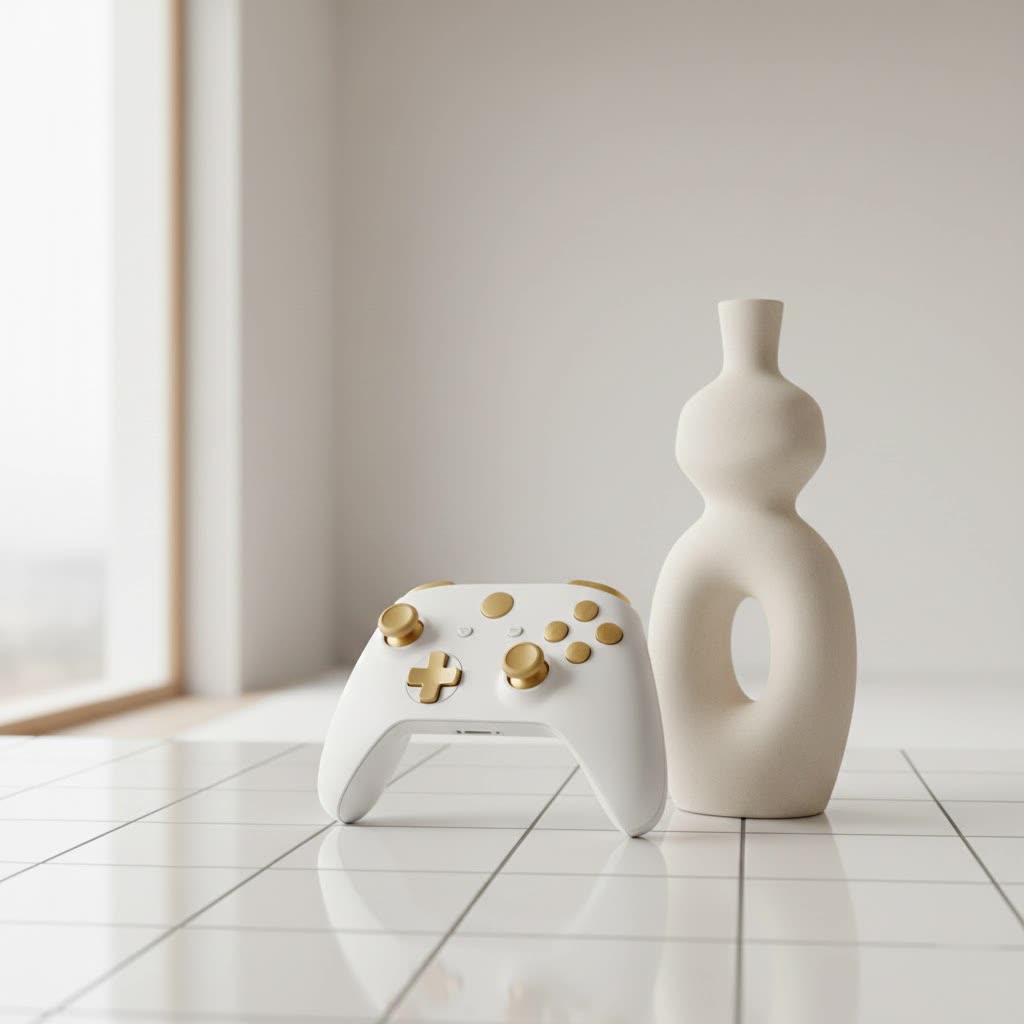
What is the Backbone One Xbox Edition?
At its core, the Backbone One Xbox Edition is a premium mobile gaming controller that literally snaps onto your smartphone, instantly turning it into a powerful portable Xbox console. It’s the culmination of smart design and deep integration, built specifically to enhance Xbox Cloud Gaming, Remote Play, and even a vast library of mobile-native titles. This isn’t just any phone clip; it’s a meticulously crafted piece of hardware that bridges the gap between your console and your pocket, letting you dive into your favorite games anytime, anywhere.
Design and Ergonomics: Holding Power in Your Hands
When you pick up the Backbone One Xbox Edition, the first thing you’ll notice is the striking design. It’s a controller that doesn’t just look the part but feels it too.
The Iconic Xbox Aesthetic: Translucent Green and Beyond
|
Our Picks for the Best Game Controller in 2026
As an Amazon Associate I earn from qualifying purchases.
|
||
| Num | Product | Action |
|---|---|---|
| 1 | AceGamer Aurora II 2.4G Wireless Bluetooth Controller for PC/Android/Switch/iOS/Switch 2/Steam Deck with Rotary Motors, RGB Hall Effect Joysticks - Upgraded PC Gaming Controller and Back Buttons Lock |

|
| 2 | Logitech G F310 Wired Gamepad Controller Console Like Layout 4 Switch D-Pad PC - Blue/Black |
|
| 3 | Spican Switch 2 Controller, Switch 2 Accessories Wireless Pro Controller with No-drift Hall Effect Joystick, 4 RGB Mode, 10H+ Battery, Turbo&Macro, Full-Size Hand-Curve Design Comfort for Nintendo Switch 2 Games |
|
| 4 | EasySMX X15 PC Controller - Enhanced Wireless Bluetooth Controller with Hall Joysticks/Hall Triggers/RGB Lighting - No Stick Drift, No Dead Zone - Work for Windows PC, Android, Steam and Switch |
|
| 5 | 8BitDo Ultimate 2 Wireless Controller for Windows PC, Apple, Steam & Android, Gaming Controller with TMR Joysticks, Hall/Tactile Triggers, Motion Control, RGB Fire Ring, 1000Hz Polling Rate, Black |
|
| 6 | Xbox Elite Series 2 Core Wireless Gaming Controller – White Series X-S, One, Windows PC, Android, and iOS |
|
| 7 | VOYEE Switch Controllers Compatible with Switch/Lite/OLED/PC Windows, 1000mAh Programmable RGB Lightning LED, Wireless Pro Controller with One Key Pairing/Wake Up/Turbo/Vibration |
|
| 8 | ManbaOne Interactive Screen Wireless Gaming Controller for PC/Switch/Switch 2/iOS/Android,Hall Effect Stick & Trigger,RGB Lighting,Remappable Buttons,1800mAh with Charging Dock (Black) |
|
| 9 | PlayStation DualSense® Wireless Controller - Midnight Black |
|
| 10 | 8BitDo Ultimate 2C Wireless Controller for Windows PC and Android, with 1000 Hz Polling Rate, Hall Effect Joysticks and Triggers, and Remappable L4/R4 Bumpers (Green) |
|
The Backbone One Xbox Edition proudly sports a translucent green design, a nostalgic nod to classic Xbox consoles that instantly resonates with fans. This distinct aesthetic isn’t just for show; it’s crafted from high-quality, matte plastic that offers a secure grip and a premium feel, making your phone feel like it’s truly part of a legitimate console peripheral. The build quality is excellent, feeling rigid and free from wobble, ensuring your phone is held securely in place without any flimsy sensations.
Comfort for Extended Play
Ergonomics are paramount for long gaming sessions, and the Backbone One Xbox Edition delivers a comfortable experience. Its collapsible design and extendable grip accommodate most modern smartphones, from the latest iPhones to Android devices, ensuring a snug and stable fit. The magnetic adapters further enhance this security, providing an even more robust connection. While some users with exceptionally large hands might find the overall size a touch compact, the general consensus points to a design that allows for natural hand positioning, preventing awkward angles during extended play. As an expert, I’ve seen countless mobile controllers, and few manage to combine such portability with genuine comfort.
Precision Controls: Every Button Counts
A controller is only as good as its inputs, and the Backbone One Xbox Edition excels by meticulously mimicking the feel and layout of a traditional Xbox Wireless Controller.
Responsive Buttons, Sticks, and Triggers
From the moment your thumbs hit the sticks, you’ll appreciate the precision engineering. The ABXY buttons are delightfully tactile, offering a crisp, satisfying click that’s far superior to the mushy feel of cheaper alternatives. The precision thumbsticks provide just the right amount of resistance for accurate movements, crucial for competitive shooters or intricate RPGs. The improved D-pad is engineered for enhanced responsiveness, giving you superior control across all genres. Moreover, the triggers boast a surprisingly deep pull, allowing for nuanced inputs in racing games or fine-tuned aiming in action titles. While a few gamers have expressed a desire for slightly larger thumbsticks or more tension in the triggers, the overall control scheme is designed for seamless, responsive gameplay.
The Multifunctional Xbox Button
A standout feature is the dedicated Xbox button, which offers more than just a quick trip to the main menu. Its multi-functionality streamlines your gaming experience:
- Single Press: Instantly opens the Xbox Guide or your Xbox game library, whether you’re in a game or navigating the Backbone app.
- Double Press: Effortlessly captures screenshots or starts/stops gameplay recordings of your epic moments. This can often be configured to suit your preference.
- Hold: Unlocks secondary in-game controls, providing a layer of convenience often missing in mobile gaming setups.
“The dedicated Xbox button on the Backbone One Xbox Edition isn’t just a branding element; it’s a productivity powerhouse for mobile gamers, seamlessly integrating key Xbox functionalities into your portable setup,” notes game tech analyst, David Chen.
Seamless Xbox Integration: Cloud Gaming and Remote Play
The true magic of the Backbone One Xbox Edition lies in its unparalleled integration with the Xbox ecosystem, bringing your Game Pass library and console titles to your phone with remarkable ease.
Unleashing Xbox Cloud Gaming (xCloud)
With an active Xbox Game Pass Ultimate subscription and a Microsoft account, the world of Xbox Cloud Gaming opens up. The Backbone One Xbox Edition provides the perfect hardware for this service, allowing you to stream hundreds of high-quality Xbox titles directly to your phone. Whether you launch titles directly through the intuitive Backbone app (a Backbone+ subscription is often needed for this integrated launch) or access xCloud via your phone’s browser (a common workaround for iPhones involves adding xbox.com/play to your home screen for a near-native app feel), the experience is fluid and responsive. No more being tied to your console; your entire Game Pass library is now truly mobile.
Mastering Xbox Remote Play
Beyond cloud gaming, the Backbone One Xbox Edition excels with Xbox Remote Play. This feature lets you stream games directly from your own Xbox console, whether it’s an Xbox Series X, Series S, or Xbox One. Imagine being able to continue your campaign from your couch in the living room on your phone in the kitchen, or even across town. Setting up Remote Play is straightforward via the official Xbox app, and with the Backbone controller, your phone instantly becomes a portal to your home console, offering a low-latency, high-fidelity streaming experience. It’s perfect for those times when the TV is occupied but your gaming urge is undeniable.
The Backbone App: Your Gaming Command Center
The Backbone experience isn’t just about the hardware; the accompanying Backbone app is a sophisticated gaming hub that centralizes your entire mobile gaming world. This intuitive application acts as your one-stop shop for discovering, launching, and managing games across a multitude of platforms.
From your Xbox Cloud Gaming and Remote Play titles to Apple Arcade, Steam Link, and even mobile-native games from the App Store or Google Play, the Backbone app brings everything together. It offers social features, allowing you to connect with friends, form parties, and even manage your captured gameplay clips. While a Backbone+ subscription unlocks the full suite of app features and direct launching of cloud services, the core functionality of game discovery and management remains incredibly valuable for any mobile gamer. It’s like having your own personalized gaming dashboard, always ready to go.
Compatibility and Connectivity
One of the Backbone One Xbox Edition’s strengths is its broad compatibility and user-friendly connectivity. It’s designed for plug-and-play simplicity.
The controller is available in different versions to support both iPhone (Lightning or USB-C variants for newer models) and Android devices (USB-C). This means most modern smartphones can seamlessly snap into place. There’s no complex Bluetooth pairing, no internal battery to charge (the Backbone is powered directly by your phone, with minimal power draw), and virtually no input lag. Simply slide in your phone, and you’re ready to game. For audio, it wisely includes a 3.5mm headset jack, allowing you to plug in your favorite wired gaming headset for crystal-clear communication and immersive sound, alongside support for your phone’s Bluetooth audio.
Is the Backbone One Xbox Edition Worth the Investment?
When considering any premium gaming peripheral, value is key. The Backbone One Xbox Edition, priced around $109.99 (and typically including a 1-month Xbox Game Pass Ultimate trial for new members), represents a significant investment in mobile gaming.
Pros:
- Truly Console-Like: Delivers an authentic Xbox controller experience on your phone.
- Exceptional Portability: Transforms your smartphone into a highly capable handheld gaming device.
- Xbox Fan-Focused: The iconic design and dedicated Xbox button cater directly to Xbox enthusiasts.
- Versatile Gaming: Supports Xbox Cloud Gaming, Remote Play, Steam Link, Apple Arcade, and native mobile games.
- Premium Build: High-quality materials and responsive controls.
Cons:
- Premium Price: It’s more expensive than many other mobile controllers.
- Ergonomics for Some: A small percentage of users with very large hands might find it slightly cramped.
- Backbone+ Subscription: Some advanced app features require an additional subscription.
Ultimately, if you are a dedicated Xbox gamer who frequently travels, commutes, or simply wants the freedom to play your Xbox library away from your main console, the Backbone One Xbox Edition is undoubtedly worth the investment. It’s not just a controller; it’s an upgrade to your entire mobile gaming lifestyle, providing precision, comfort, and direct access to your favorite Xbox titles.
Frequently Asked Questions (FAQ)
Q: What phones are compatible with the Backbone One Xbox Edition?
A: The Backbone One Xbox Edition is compatible with most modern iPhones (available in Lightning and USB-C versions) and Android devices (USB-C), accommodating a wide range of smartphone sizes with its extendable bridge.
Q: Do I need Xbox Game Pass Ultimate to use the Backbone One Xbox Edition?
A: While not strictly required to use the controller for all games, an Xbox Game Pass Ultimate subscription is essential for accessing Xbox Cloud Gaming titles directly through the Backbone app or your browser.
Q: Can I use it to play games other than Xbox titles?
A: Absolutely! The Backbone One Xbox Edition is highly versatile. It supports Apple Arcade, Steam Link, and countless controller-compatible games from the App Store and Google Play, making it a universal mobile gaming solution.
Q: Does the Backbone One Xbox Edition need to be charged?
A: No, the Backbone One Xbox Edition does not have an internal battery. It draws minimal power directly from your smartphone, ensuring it’s always ready to play without needing separate charging. It also supports pass-through charging for your phone.
Q: How does the dedicated Xbox button work?
A: The Xbox button is multi-functional: a single press opens the Xbox Guide or game library, a double press captures screenshots or records gameplay, and holding it down activates secondary in-game functions, offering quick access to key features.
Conclusion
The Backbone One Xbox Edition stands as a testament to how far mobile gaming has come, offering a truly transformative experience for Xbox fans. By combining a sleek, ergonomic design with precision controls and seamless integration into the Xbox ecosystem, it empowers you to take your console gaming adventures wherever you go. From streaming the latest Game Pass blockbusters via Xbox Cloud Gaming to continuing your home console saves with Remote Play, the Backbone One Xbox Edition delivers an unparalleled portable Xbox experience. If you’re ready to unlock the full potential of mobile gaming and carry the spirit of Xbox in your pocket, this controller is your ticket to limitless play. So grab your Backbone One Xbox Edition, snap in your phone, and elevate your mobile gaming to console-level glory.
